Salesforce Intelligent Document Reader
Updated 9 December 2025
Salesforce Intelligent Document Reader is transforming the way documents are handled and data is extracted.
Yet, some businesses still enter data manually from PDFs, forms, scanned images, and paper documents.
If you walk into almost any sales team, service centre, finance team, or insurance company, you will see the same thing. That is entering data manually.
Some companies solve this problem by hiring more staff or outsourcing the data entry task.
However, the problem isn’t the lack of manpower, but it’s the documents that are not ‘digital’ in a way that Salesforce understands.
It is not structured in objects, fields, and records.
And that is where Document Reader comes in. It acts as a smart bridge between the world of paper/PDF documents and the structured world of Salesforce.
Let’s explore the technology, business benefits, industry use cases, limitations, and how eShopSync can help you develop tailored OCR and AI document extraction solutions.
What is Salesforce Intelligent Document Reader?
Think of it as a smart engine that reads any document using optical character recognition (OCR).
This feature works natively within Salesforce. It uses AWS’s OCR service to extract the text from the documents.
But the entire interface, configuration, workflows, and data mapping happen within Salesforce, ensuring data privacy.
When you scan a printed document or take a photo of a page, it analyzes the image with Salesforce OCR technology and converts it into machine-readable text and data.
Apart from this, it utilizes artificial intelligence/machine learning to identify patterns in your documents and improve its approach by learning from its mistakes.
Trained on thousands of similar documents, it could easily find and extract information from papers just like a human.
For example:
- If the document is an invoice, → It expects an invoice number, company name, amount, taxes, due date, and extracts this information to Salesforce.
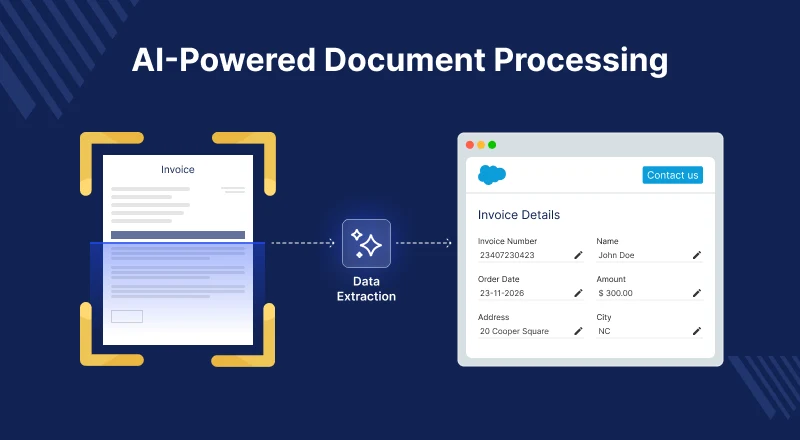
- If it is a KYC document, → It expects ID number, customer name, date of birth, address, and issuing authority, and extracts this information to Salesforce.
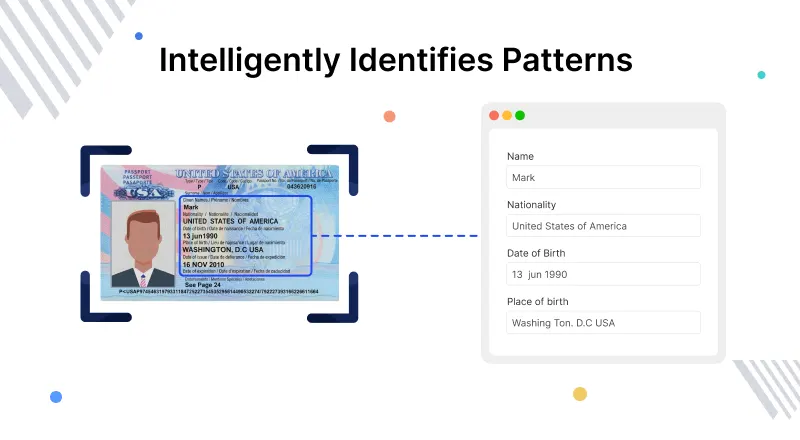
This ability to recognize document type and extract the right information is one side of the coin.
However, further filling in this information in Salesforce fields automatically is what makes it powerful.
How Salesforce Intelligent Document Reader Works
Businesses often worry that document automation is too complex. In reality, the flow is quite straightforward.
Let’s break it down in everyday language:
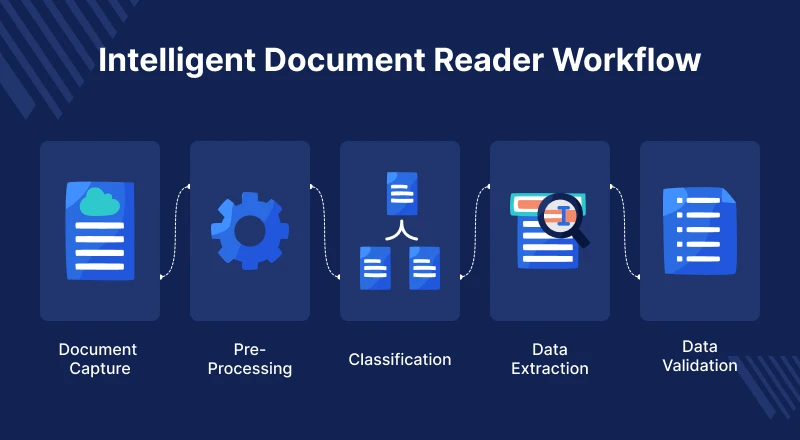
1. Upload or receive the document
Documents can come from many sources. It can come from email attachments, uploaded on a Salesforce page, scanned documents from fields, and bulk uploads from a legacy system.
2. Salesforce OCR identifies text inside the document
Even if the document is a scan or a photograph, OCR converts the image of text into real digital text.
3. AI identifies the type of document
Artificial intelligence identifies the type of document it is. It can be an invoice, purchase order, contract, report, or other similar documents.
Why does this matter? Because different document types contain different information.
4. The system extracts important information
Instead of reading the whole document, the AI picks what actually matters. It’s like a trained staff member.
For example, these include policy number, claim amount, date of issue, customer name, GST / VAT, and delivery date.
5. The extracted data is mapped to Salesforce fields
Each value gets placed in the correct object and field:
- Lead / Account / Contact
- Opportunity / Quote
- Case / Policy / Claim
- Custom objects
6. Validation rules ensure accuracy
Before saving records, the system verifies:
- Required fields are present
- Email/phone/address formats are correct
- Dates/currency values make sense
- Duplicate records aren’t created
7. A Salesforce record is created or updated
Once confirmed, the system writes data into Salesforce and triggers downstream automation:
- Tasks
- Workflows
- Approval processes
- Notifications
- Case routing
It is optional, but if a business chooses to, it can review the creation and updation of the Salesforce records.
Many companies opt to keep a “review screen” where users can glance at the extracted fields and approve them. It increases their confidence that their records are double-checked.
Real Business Benefits That Matter
Sometimes, companies think document automation saves time. But the benefits go far beyond that. Let’s discuss some of the key benefits below.
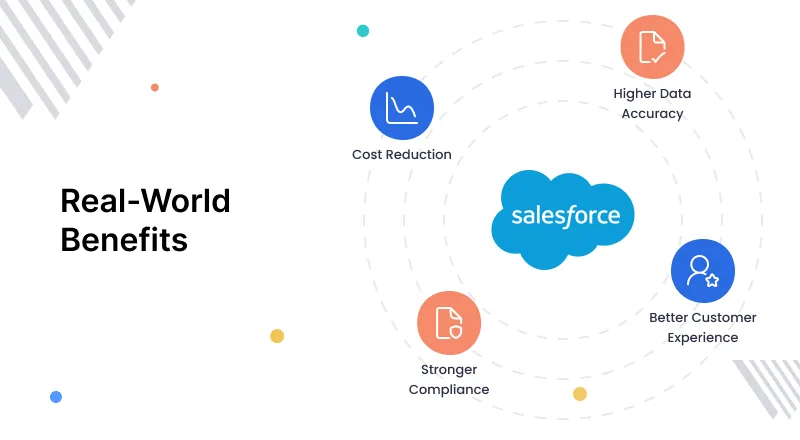
Higher data accuracy
Data is extracted directly from the document rather than from humans who are tired of retyping hundreds of records.
It extracts information and organizes it in a structured manner for Salesforce objects like Accounts, Contacts, Leads, Cases, and Custom Objects.
This means reports are more reliable, forecasting is more accurate, and customer records are more precise.
Better customer experience
Customers don’t want to wait for days because “the paperwork queue is long.” A loan applicant doesn’t want to wait for a long period because the documents are being processed manually.
With automated data extraction, sales productivity increases. Data is easily extracted from business cards, pricing sheets, order forms, and signed agreements.
This results in shorter waiting times, which immediately improves customer satisfaction.
Stronger compliance
The system ensures tamper-proof audit trails of every document processed, every field extracted, and every change made.
These are all applicable to industries where compliance requirements are crucial, such as the Banking and Healthcare sectors.
Cost Reduction
The financial impact is significant with cost savings from multiple sources.
Companies don’t need extra staff if document work doubles or triples in volume. Instead of data entry tasks, employees can go for high-value work positions.
Secondary cost savings result from fewer errors, which means fewer refunds and corrections.
Enhances Field Service Operation Workflow
Technicians working in the field service operations handle a substantial amount of physical paperwork.
They capture details like equipment serial numbers, safety and compliance check forms, and brief handwritten notes from the customer or on-site team.
Traditionally, the data stays on paper until the technician returns to the office and someone enters the value in Salesforce.
It delays billing, work order closure, and sometimes leads to inventory mismatches. However, with Intelligent Document Reader, the entire process becomes smooth and faster.
The technician snaps a photo of the document or label through a field service app and extracts the data directly to the associated Salesforce Objects.
Industry-Specific Use Cases
One of the biggest doubts customers have is: “Will it work for our industry?”
The honest answer: Yes, because every industry deals with documents. Below are some of the most common applications.
Banking & Finance
Banks and Financial institutions receive the highest volume of document processing in any other industry.
It includes loan applications, KYC documentation, compliance forms, and various types of documents.
In the loan application process, the customer submits 10-15 documents, which the loan officer reviews, and finally enters the data into the system.
This process takes days, but with Intelligent Document Reader, the time could be reduced to hours.
It can extract critical information from the documents, allowing the loan officer to focus on decision-making rather than data entry.
Healthcare & Insurance
Hospitals and labs handle various documents, including lab reports, patient onboarding documents, and claims.
A large healthcare provider with hundreds of facilities may handle over 100,000+ papers daily.
Patient historical paper records could be digitized by extracting key information, including demographics, medication, and conditions, in a structured format within Salesforce.
Insurance claims are also a major use case. Key information, such as claim amount, provider details, and patient information, could be extracted from documents.
It could be used for verification processes and routes claims for approval. This could reduce claims processing from weeks to days.
Manufacturing
Manufacturing generates Purchase orders, delivery notes, and vendor invoices. A mid-sized manufacturer might receive hundreds of invoices daily from suppliers.
Matching invoices against purchase orders and goods receipts has traditionally needed manual review. But the system can automate the entire process with an Intelligent Document Reader.
It can extract invoice data, match it with POs, validate quantity and prices, and flag discrepancies.
Additionally, quality and compliance documents, often handwritten or printed, can be standardized in Salesforce.
Shipping & Logistics
Shipping and logistics documentation benefits immensely. Tracking and tracing shipments requires the extraction of information from bills of lading, packing slips, and shipping labels.
The system can instantly read this information from any format, maintaining real-time visibility into shipments.
Real Estate
Lease agreements, KYC documents, and inspection reports are important documentation for Real Estate. Processing of one application manually takes about an hour.
The good applicant was tired of the waiting time and found a place to rent somewhere else.
With an Intelligent document reader, applicant data is extracted in a structured way in Salesforce.
In this way, the property manager can view a dashboard of qualified applicants, complete with all the information in an organized and clear format.
Now your team could focus on showing properties and building relationships instead of shuffling papers.
Limitations of Salesforce Intelligent Document Reader
No technology can be perfect. When discussing the Intelligent Document Reader, it is essential to be aware of its limitations before implementing it.
Extracting data from poor-quality documents, such as low-resolution scans, shadowed images, and handwritten text in cursive and other formats, can be challenging.
These document formats are complex to extract information from and can confuse AI models.
Secondly, organizations could face integration complexities for unique use cases.
For example, organizations have unique or legacy document formats specific to their industry or company. Mapping these to Salesforce fields might require significant customization.
However, the good news is that these can be minimized with:
- A quick quality checklist for uploads
- Human review for edge cases
- Training the model over time
- Expert consultations for customizations
Why Choosing the Right Implementation Partner Matters?
Intelligent Document Reading in Salesforce is not just a tool; it’s a transformation in the data management process.
However, companies don’t struggle because of the technology. They struggle because of:
- Wrong field mapping: If the extracted value is not mapped to the right Salesforce fields, the automation won’t work. It will create more problems than ease the workflow. For example, if numerical data is entered into text fields, the workflow will break.
- Weak validation logic: Incorrect or incomplete data may slip while extracting values. It’s crucial to put validation checks such as correct date formats, required fields, numeric ranges, and duplicate prevention.
- No Exception Handling: No document will be perfect; some may be blurry, missing pages, or formatted differently. That’s why these types of documents route to a review queue instead of creating messy records.
- Poor User Training: All your investment is in vain if your team doesn’t understand how the solution works. This is why your field agents, back-office teams, and service reps need guidance and training.
These are the areas where expertise makes the difference.
How eShopSync’s Tailored Approach Helps
Every industry has its unique needs and challenges.
The needs of a financial organization differ from those of a healthcare provider. That’s why generic implementations often fail in any industry because of these differences.
That is where eShopSync’s expertise becomes valuable. As a trusted Salesforce Partner with deep experience across different industries, our approach is tailored and practical.
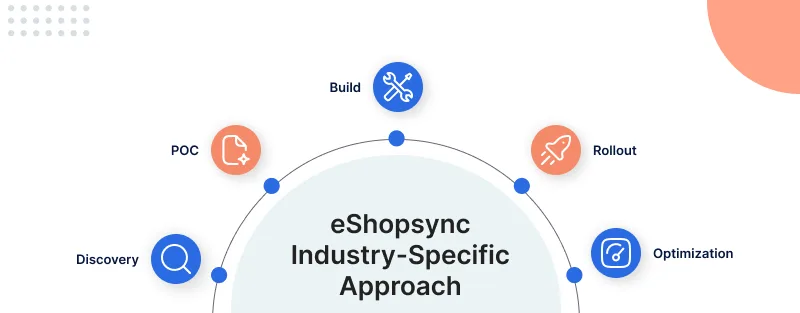
- Discovery: We analyze and understand your specific challenges, document types, Salesforce objects, workflows, and compliance needs.
- Proof of Concept: We conduct a small pilot using your actual documents, allowing you to see the results rather than promises.
- Implementation & Customization: Every organization’s needs are different, so we provide a customized implementation. We delve deep into building custom workflows with field mapping, custom validation logic, AI model tuning, and automation.
- Continuous Optimization: We monitor accuracy and processing speed to ensure the solution becomes more intelligent over time.
Conclusion
Your employees were hired to do jobs like solving problems, closing deals, managing accounts, and making decisions. But many of them are stuck doing repetitive data entry tasks.
Salesforce Intelligent Document Reader eliminates the work people never wanted to do in the first place.
It frees your team to focus on real business outcomes instead of copying and pasting values from documents.
The question is not whether this technology will become standard; it already is for leading organizations.
The question is whether your organization will join them or continue with the manual process that is inefficient and expensive.
Support
- Want to transform your document processing? Raise a ticket or contact us at [email protected]
- You can also explore our other eCommerce Solutions by visiting the Webkul AppExchange Profile.

Be the first to comment.