ServiceNow – Introduction to API
Updated 14 October 2025

The following doc will try to brief about the usage of the ServiceNow platform along with an introduction of its API
What is ServiceNow?
ServiceNow is an IT Service Management(ITSM) supporting software platform. It is an enterprise cloud-based platform that helps to automate management tasks. It is diversified into many services including IT, Security, HR Service, Delivery and Business Applications. ServiceNow provides a single platform to capture all the relevant information which streamlines the operations and also helps to reduce the overall cost by replacing unstructured work patterns and business processes.
Being a SAAS platform, the businesses using it need not worry about maintenance and updates. It also allows any custom modifications like creating forms, email, and chat, etc along with real-time analysis and reporting features which widens its scope of usability in an organization. ServiceNow is fully integrated with APIs so as to provide its extensibility in modern-day applications.
Start using ServiceNow Developer Instance
ServiceNow developer instance is a Sandbox environment for the developers so that they can experiment and get the hands-on experience. It also allows for testing ServiceNow applications.
- Visit https://developer.servicenow.com/app.do#!/home and register for a new developer account using your email id.
- Validate your account from the link sent on the entered email id.
- Log in to your developer account and fill the details required as asked by ServiceNow. Here you’ll get all the developer learning material along with other utilities.
- In the top menu section, go to manage and click Instance. Click on Request Instance.
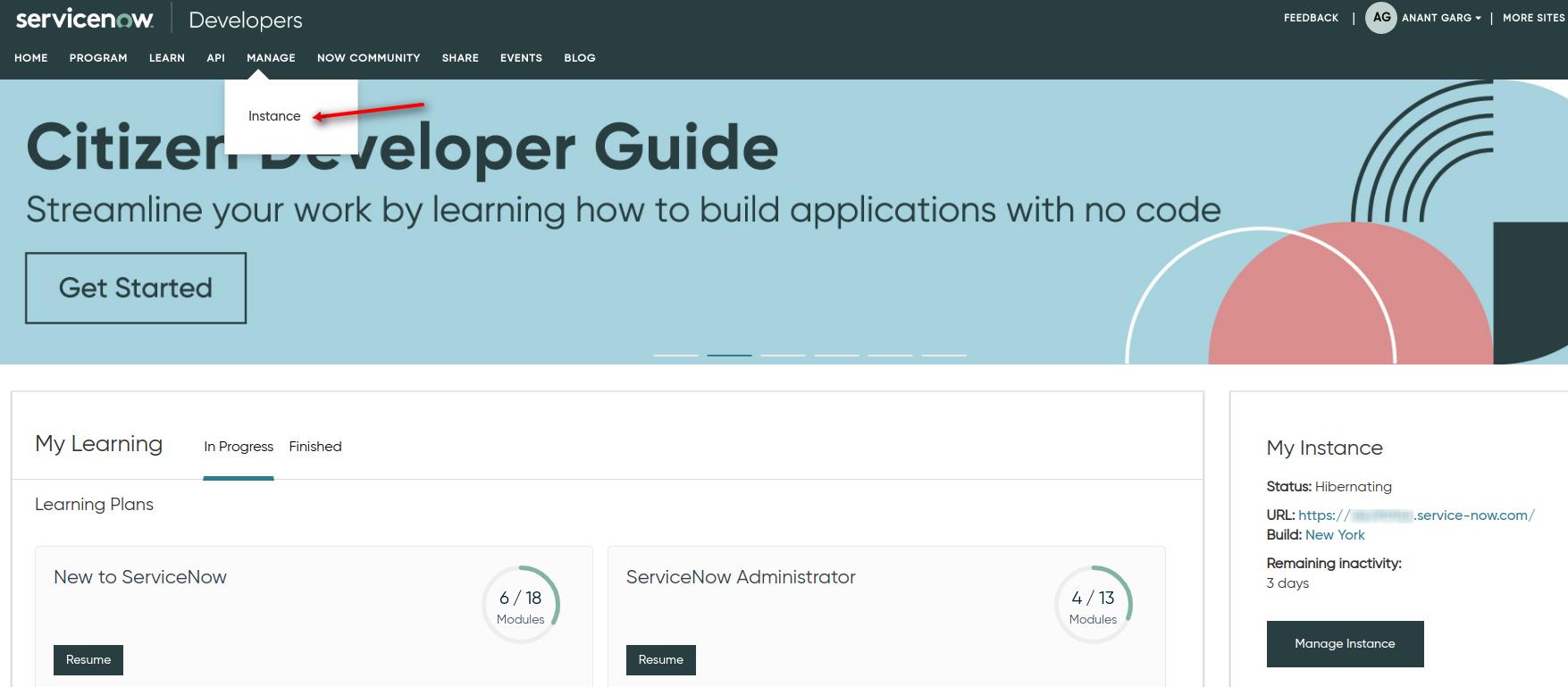
- Select the version of the instance. This will create a new instance on a separate dedicated URL, which you can use for any planned development. You will also receive a separate username and password for login to developer instance.
- Login to developer instance, which will provide access to a complete Sandbox environment where you can start understanding and development.
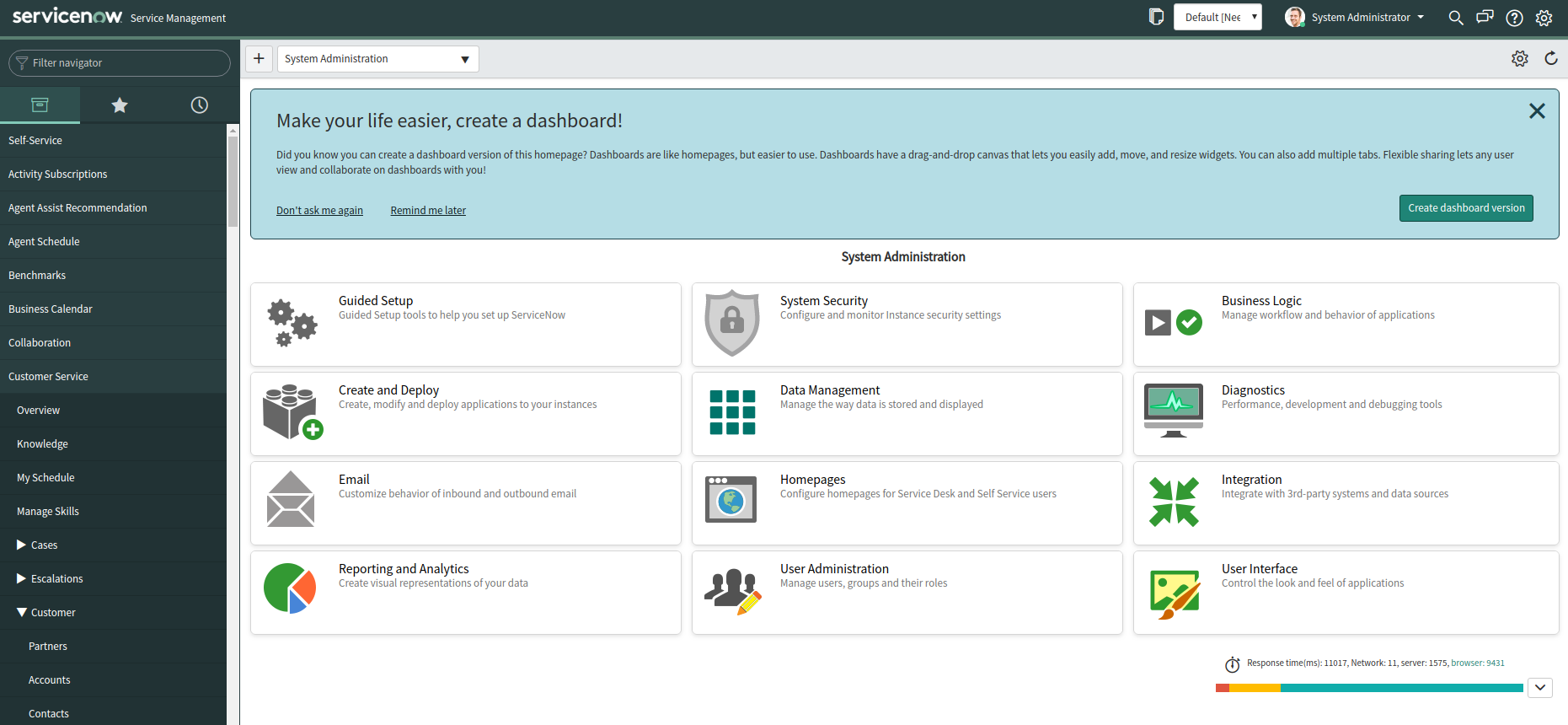
Note: Developer instance remains active for 10 days, i.e, any inactivity of more than 10 days will delete this instance along with all its data which can not be recovered. So you need to use it regularly or keep a check for its validity.
Using ServiceNow API
ServiceNow supports basic functions in its REST API like GET, POST, PUT, PATCH, and DELETE. You can search for ‘API’ in the filter navigator and click on ‘REST API Explorer’ to get to the API portal and explore all possible endpoints. By using ‘Table API’ you can access all present tables in your developer instance.
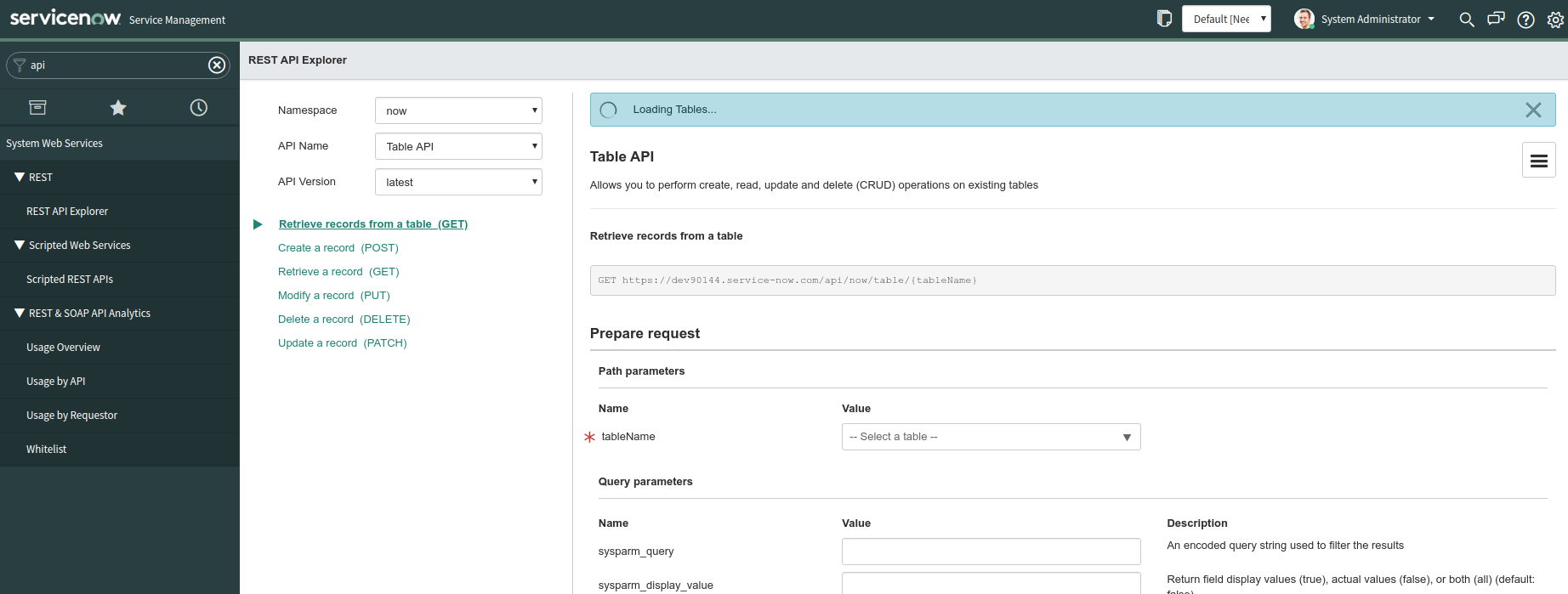
After selecting the API Name as ‘Table API’ you need to select any desired tableName and a particular request to get to know about its endpoint and required set of fields. To use the same endpoint as an HTTP request we will use Basic Auth which will contain the ‘username’ and ‘password’ of developer instance. One of the example to use an endpoint with POST request is listed below:
/** Code for creating entry in ServiceNow via cURL.
*
* @category ServiceNow
* @author Webkul Software Pvt Ltd <[email protected]>;
* @copyright 2020 webkul.com. All Rights Reserved.
* @license GNU General Public License version 2 or later; see LICENSE.txt
* @link http://webkul.uvdesk.com
*/
$curl = curl_init();

curl_setopt_array($curl, array(
  CURLOPT_URL => "https://myinstance.service-now.com/api/now/table/cmn_location",
  CURLOPT_RETURNTRANSFER => true,
  CURLOPT_ENCODING => "",
  CURLOPT_MAXREDIRS => 10,
  CURLOPT_TIMEOUT => 30,
  CURLOPT_HTTP_VERSION => CURL_HTTP_VERSION_1_1,
  CURLOPT_CUSTOMREQUEST => "POST",
  CURLOPT_POSTFIELDS => "{\n\t\"name\":\"Webkul Software\",\n\t\"account\": \"\",\n\t\"country\": \"India\",\n\t\"street\": \"H 28 ARV Park\",\n\t\"city\": \"Noida\",\n\t\"state\": \"Uttar Pradesh\",\n    \"zip\": \"201301\",\n    \"contact\": \"591159XXXXXXXXXXXXXXXXXXX61917\"\n}",
  CURLOPT_HTTPHEADER => array(
    "Content-Type: application/json",
    "Authorization: bXl1c2VybmFtZTpteXBhc3N3b3Jk",
    "cache-control: no-cache"
  ),
));

$response = curl_exec($curl);
$err = curl_error($curl);
curl_close($curl);
This will create a new location entry in the specified table. There are few things to be noticed in the above request:
- myinstance is the name of your instance which you have to use for your following requests
- We have filled a unique number in the ‘contact’ parameter. This field is a reference/lookup field that will connect two separate tables. So here a contact id is being used which is already created in your instance. This contact table is a part of the Customer Service Management(CSM) application installed in your instance which takes its address from the location table. You can get this table name as ‘customer_contact’. Similarly, different tables may have different similar references.
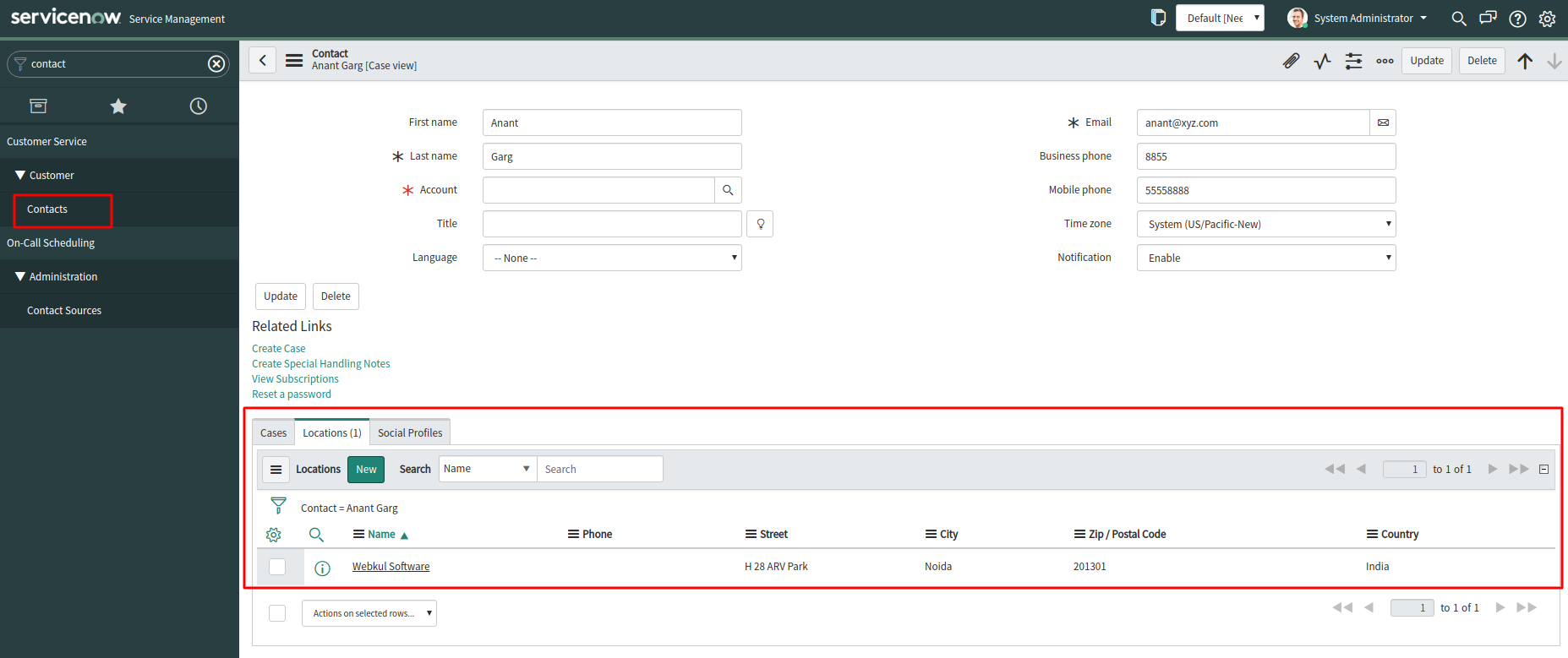
- The basic authorization uses username and password for authentication, and in the request, we will pass a base64f-encoded string of your username:password
Usage
The usage of API is widely known and the ServiceNow platform already has many advantages for various business scenarios. With eShopSync we try to focus on the e-commerce business solution to integrate different e-commerce solutions with ServiceNow. Some of such solutions are:
Support
If you have any queries feel free to add a ticket and let us know your views to make it better https://webkul.uvdesk.com/en/customer/create-ticket/

Be the first to comment.