Enable Reduction Order In Salesforce Lightning
Updated 13 October 2025
The reduction order in Salesforce plays a critical role when customers change their minds and request to scale down or disable products or services.
This helps the sales team to manage the returns of products or services and adjust the existing order without disrupting the billing.
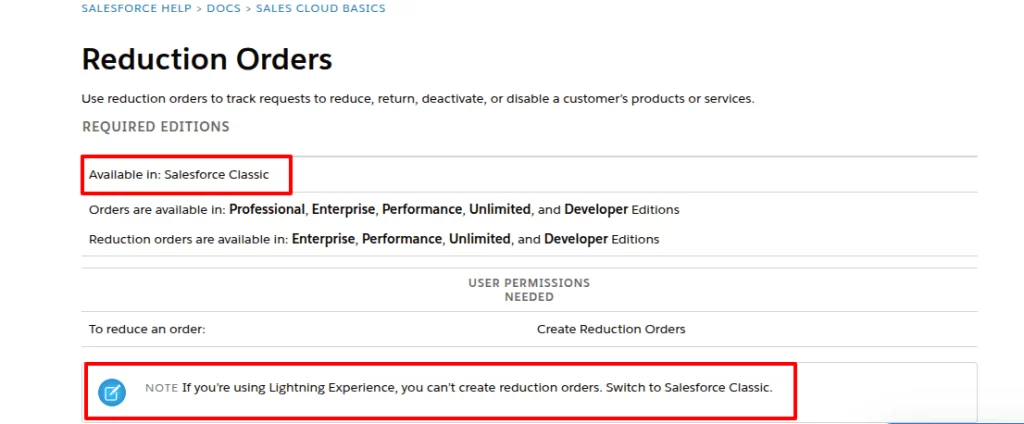
Now, as you know, the importance of this functionality is evident; let’s discuss the challenge here. Organizations can use this functionality only in Salesforce Classic.
Those who are using Salesforce Lightning are unable to utilize this functionality.
The only way a Salesforce Lightning user can use reduction orders is to switch back to Classic, which disrupts productivity.
This is where our Reduction Order Salesforce Lightning solution steps in.
Introducing the Reduction Order Solution
We developed a native Lightning solution that allows users to create and manage reduction orders. And all of this is possible without ever leaving the Salesforce Lightning interface.
Organizations that use Lightning’s modern experience can fill this functionality gap in their current Salesforce org.
Features of Reduction Orders Salesforce
Here’s how our solution efficiently manages the reduction orders in Salesforce Lightning.
- Create reduction orders in Salesforce directly from the order page.
- Automatic linking of every reduction order to the original order, ensuring accuracy.
- Reduce the specific items with adjustable quantities instead of canceling the entire order.
- Access the reduce order button on the quick action highlight panel.
- Prevent reduction when the feature is disabled with smart validations.
- Reduced items are adjusted automatically for negative quantities.
- Handle complex orders with multiple products in a single reduction order.
The goal is not just to bring the Classic features into Lightning but to deliver a more intuitive and efficient way to handle reductions.
How to Create Reduction Orders in Salesforce Lightning
Here’s how easy it becomes after installing our solutions on the Lightning org.
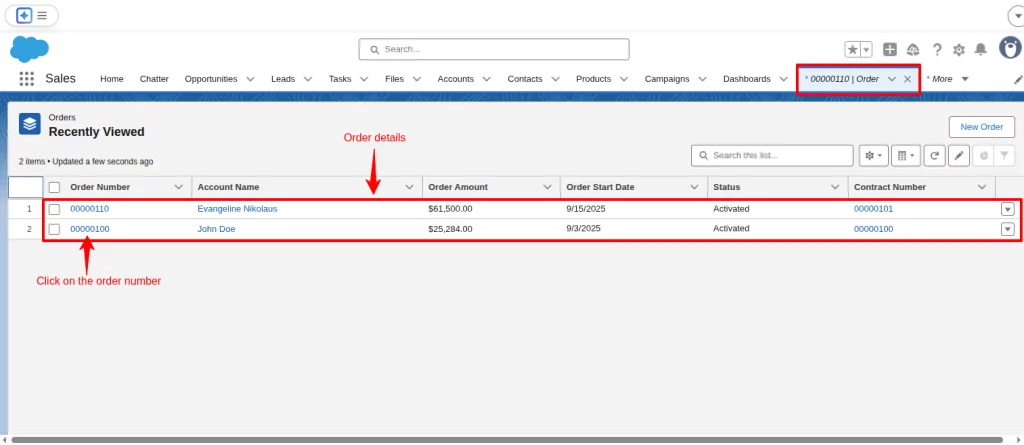
Go to the Order record page and click on the order number where the adjustments are required.
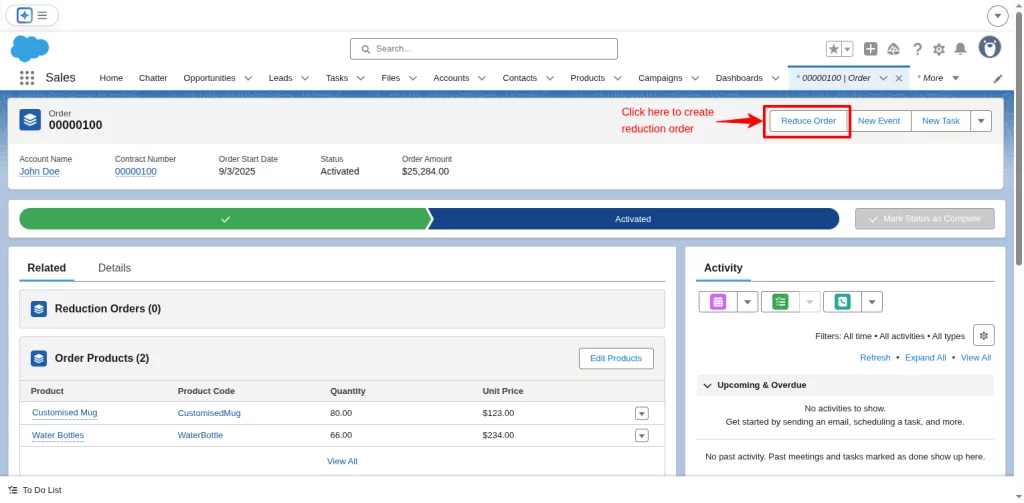
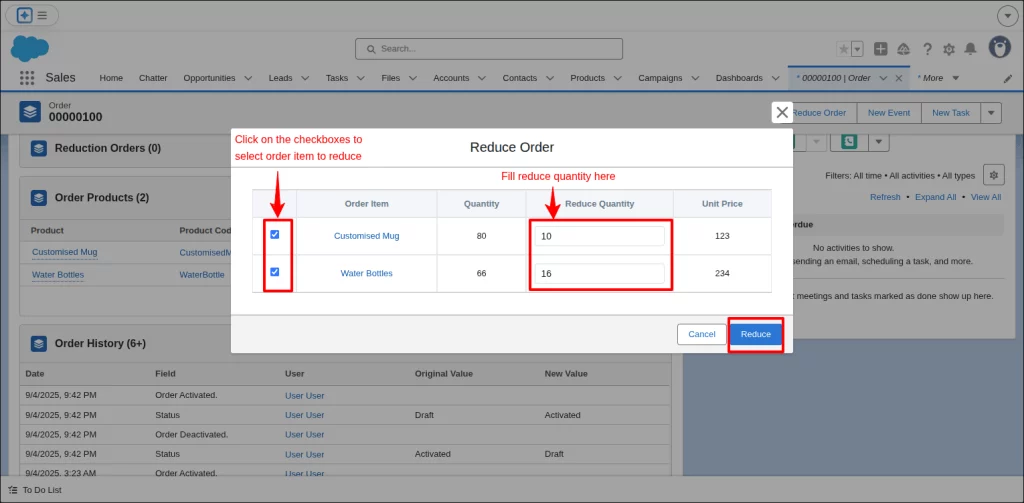
Our Solution will create a Reduce Order button in the Quick Action panel. Click the Quick Action in the highlights panel to initiate a reduction order.
Select specific line items and adjust their quantities as needed, then save and finalize.
In the Order section, the reduced order details include a new Order ID and an automatically calculated negative order amount.
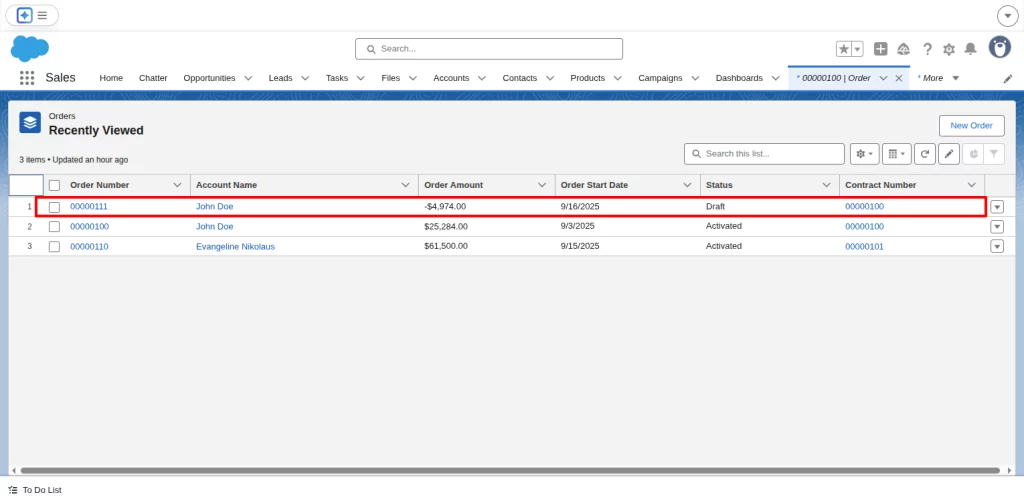
In this way, within minutes, sales reps can create reduction orders in Salesforce without breaking flow.
Why Partner with Us for Salesforce Solutions
Enterprises don’t only need solutions, but they also need expertise, reliability, and support.
eShopSync has been guiding enterprises through its state-of-the-art, market-ready solutions and trusted partnership.
We have a deep understanding of quote-to-cash cycles and have built secure enterprise-grade solutions with real sales teams in mind.
Conclusion
Salesforce Lightning was designed to move businesses forward, but gaps like the absence of reduction orders kept many organizations tied to Classic.
Our Reduction Order Salesforce Lightning solution eliminates the need for compromise.
You can create, manage, and process reduction orders efficiently, without context switching or increased risk of errors.
Support
If you are ready to enable reduction orders in Salesforce Lightning and streamline your CPQ processes, our solution can support your goals.
Raise a ticket today to schedule a demonstration or hire a Salesforce Lightning developer.

Be the first to comment.