SAP B1 Shopify Integration User Guide
Updated 23 December 2025
SAP B1 Shopify integration is useful for organizations that value control, reliability, and operational clarity.
Individually, both platforms are powerful, but without integration, they also create friction. This is where the SAP B1 Shopify connector comes in to create a bridge between these two platforms.
It syncs core business objects from SAP Business One into Shopify, ensuring that what you manage internally is exactly what your customers see externally.
Therefore, the purpose of this connector is simple but critical.
Features of SAP B1 Shopify Connector
- SAP B1 Items are synced as Shopify Products with structured accuracy.
- Item Groups in SAP B1 are synced as Shopify Categories (Collections).
- Business Partners in SAP B1 are synchronized as Shopify Customers.
- Automate synchronization of Item and Item Groups in Shopify without manual export.
Note: Install the SAP Business One Shopify Integration app and get a free 2 day trail.
How to Set Up SAP B1 Shopify Integration
The configuration process of the connector is simple and easy. First, go to your Shopify store and download the SAP B1 Shopify application from the Shopify App Store.
Then, it will redirect you to the General Settings configuration window. Here, you have to mention the following information:
- Service Layer URL
- Name of the Database
- Username & Password
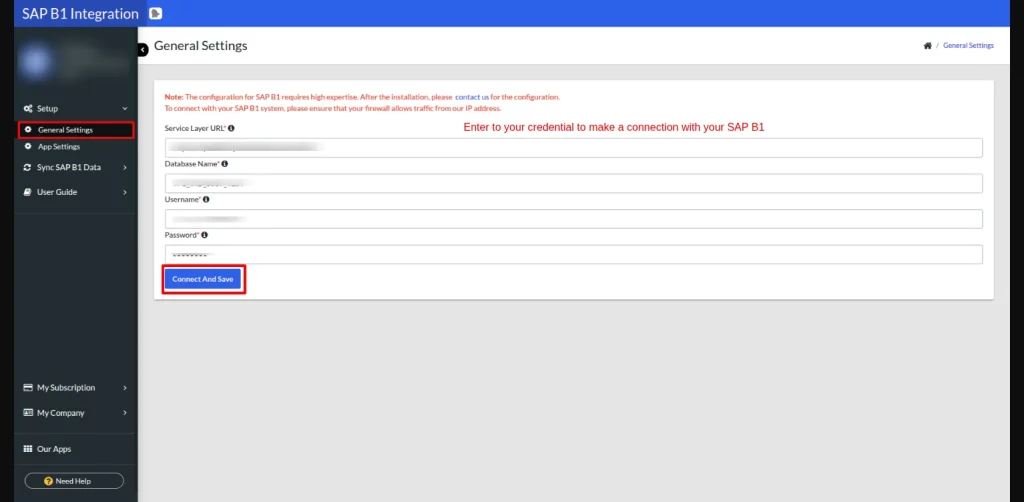
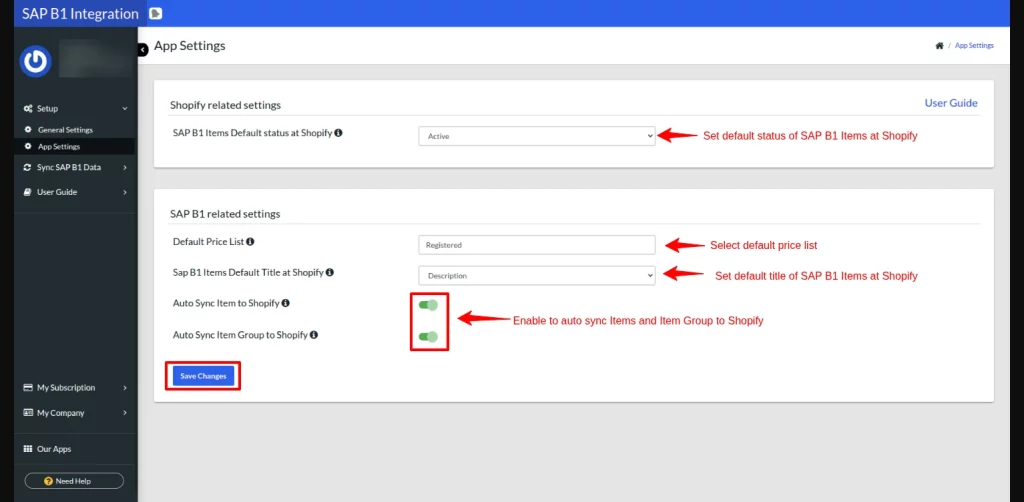
Now, navigate to the App Settings option on the left side of the configuration panel to configure Shopify and SAP B1-related settings. Save the changes to complete your app setup.
View of Synced SAP B1 Data
After setting up the application, let’s view and sync your SAP B1 Item Groups, Items, and Business Partners.
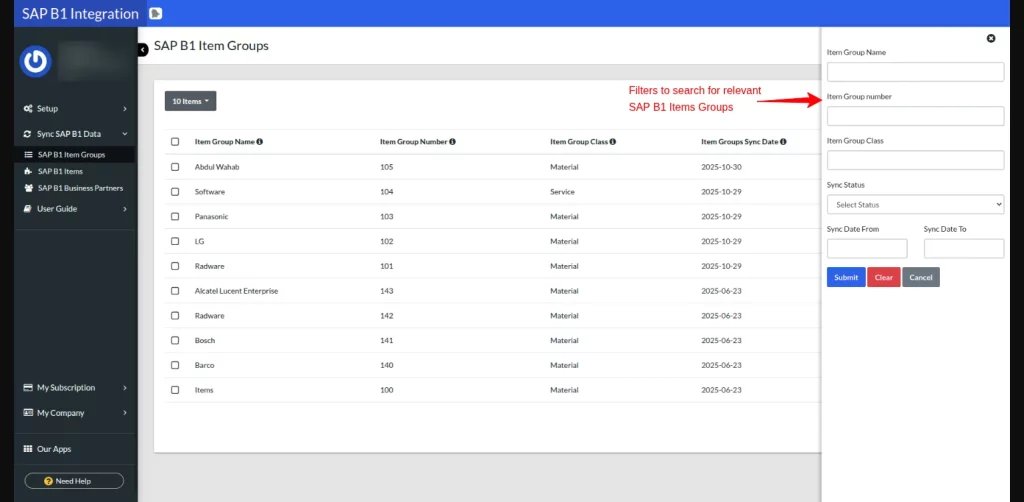
Go to the Sync SAP B1 Data option, in the drop-down section, click on SAP B1 Item Groups to view all your Item Groups records.
Here you can select and sync SAP B1 Item Groups to Shopify as Collections.
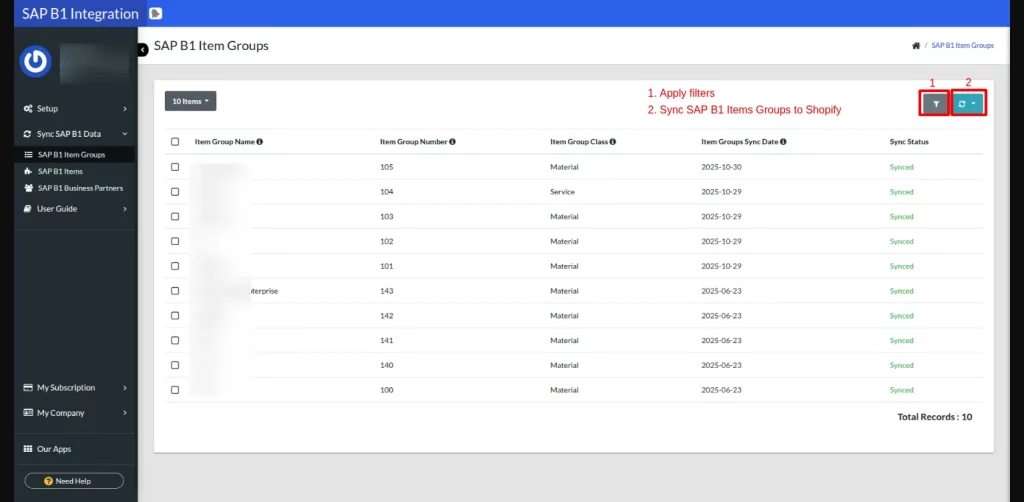
Next, you can also sort Item Groups with the filter functionality.
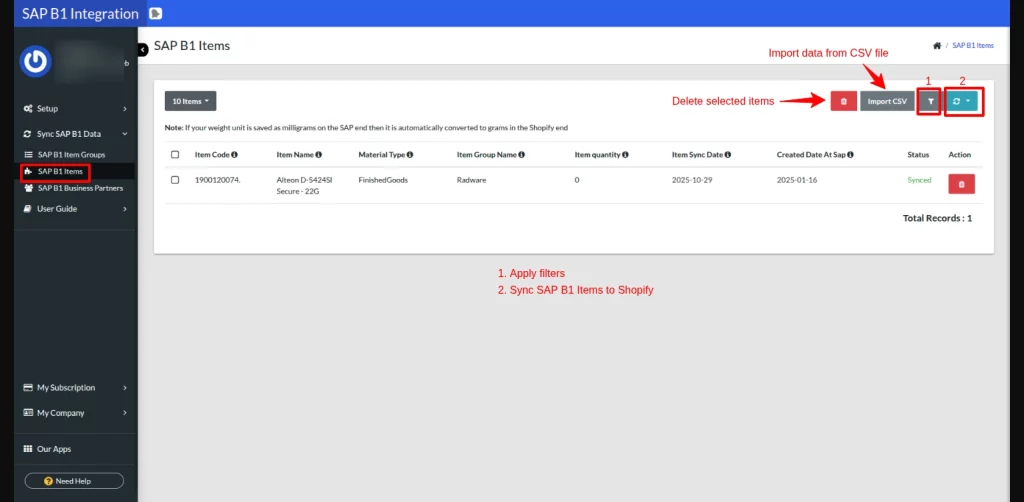
Furthermore, click on SAP B1 Items in the left window panel to view all your Item records. It enables you to:
- Import Items from a CSV file
- Delete Item records
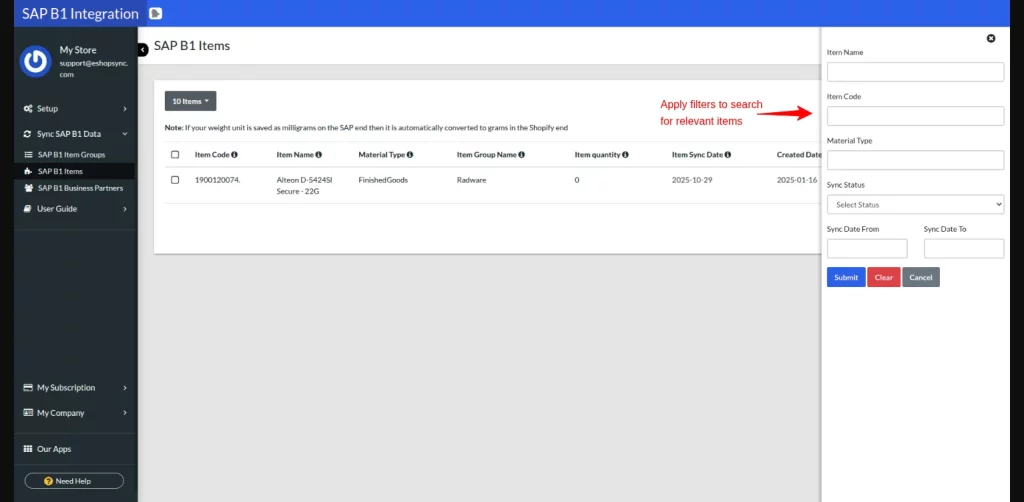
- Filter B1 Items
- Select and Sync SAP B1 Items to Shopify
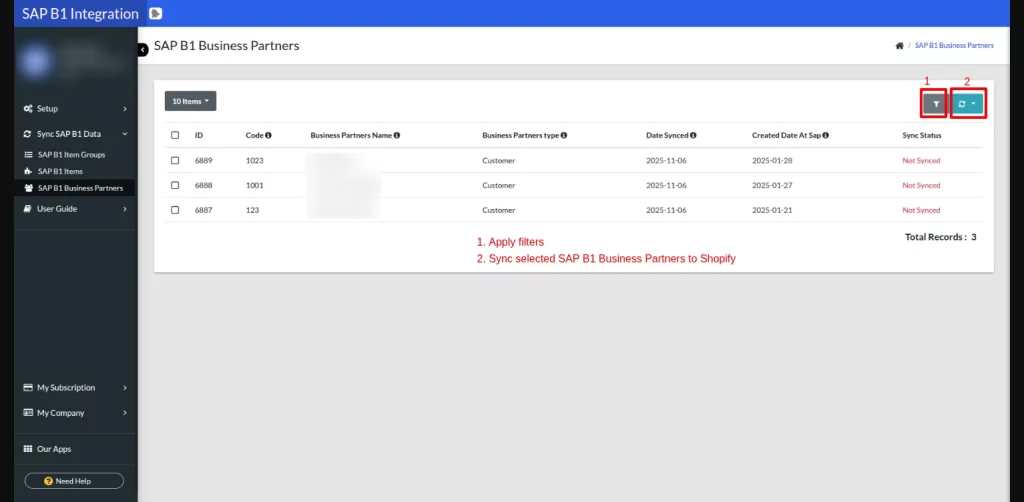
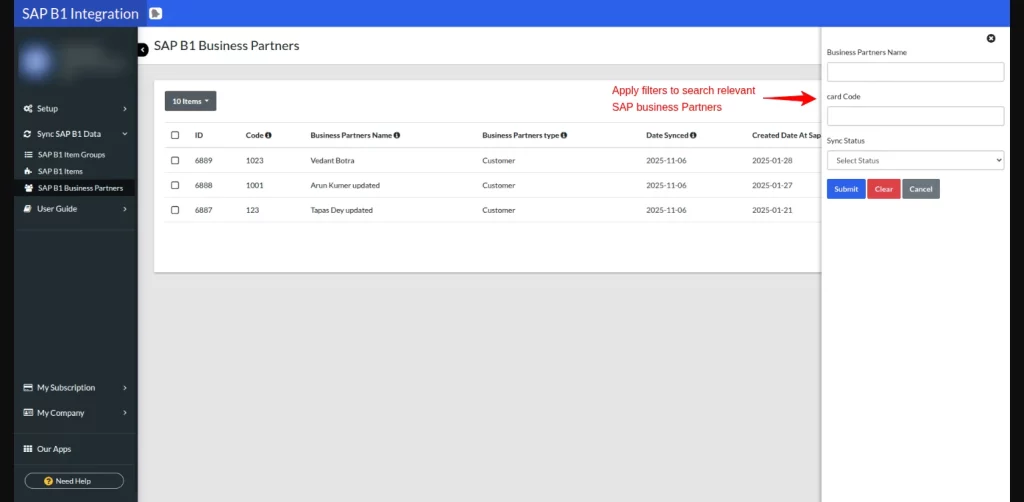
Lastly, click on the SAP B1 Business Partners to filter and sync records to Shopify.
Conclusion
SAP Business One Shopify integration is not just a connector. It is an alignment mechanism between the back office and front office.
If your organization already trusts SAP B1 to run the business, then extending that trust into Shopify is not optional but logical.
And, when systems speak the same language, teams move faster, errors decline, and customers notice the difference.
Support
- For any support/assistance, you can write us at [email protected]
- For any further queries, Raise a Ticket

2 comments
Our dev team also needs to know if the connector is running on our server or from an external one, could you solve these doubts?
Thank you very much.
Please raise a ticket at [email protected]. We would be happy to help you with your query.
Thank you