How to Implement PWA Kit in Salesforce Commerce Cloud: Step-by-Step Guide
Updated 13 October 2025
Do you want to increase your E-commerce Store performance, user experience, and conversion rates? Implementing the PWA Kit in Salesforce Commerce Cloud might be a great choice.
The PWA kit (Progressive Web App) is a storefront technology that helps you transition into a headless commerce architecture.
In this blog, we’ll explore how to implement the PWA kit in Salesforce Commerce Cloud, its features, limitations, and why you might want to consider native or hybrid app development as an alternative.
Prerequisites for PWA Kit Implementation
Before diving into the implementation process, make sure to checklist the prerequisite criteria.
-
-
- A Salesforce Commerce Cloud account with the necessary permissions.
- Install Node 18 or a later version in your system.
-
Steps to Implement PWA Kit in Salesforce Commerce Cloud
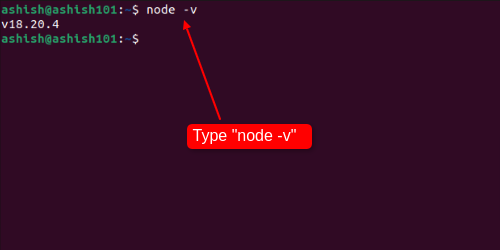
Now, let’s install the PWA kit, but before that, if you have Node installed in your system, first check the version. Write the command- “node -v” to check the version. It should be greater than 18.
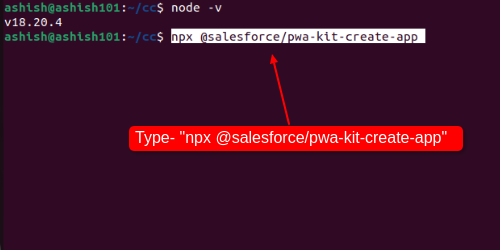
To install the PWA kit, type the command- “npx @salesforce/pwa-kit-create-app”
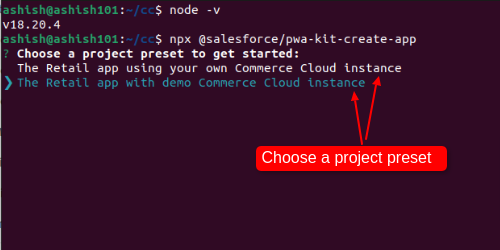
Then choose a project preset to get started.
In this guide, we’re choosing a “demo account”. You can choose your instance.
Installing packages may take a few minutes. So, wait patiently.
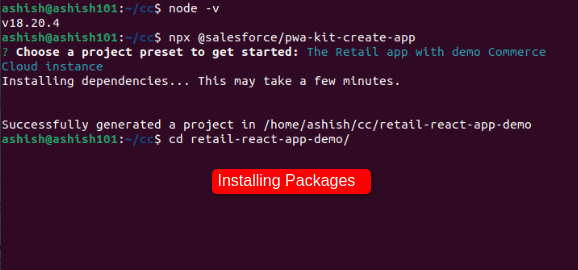
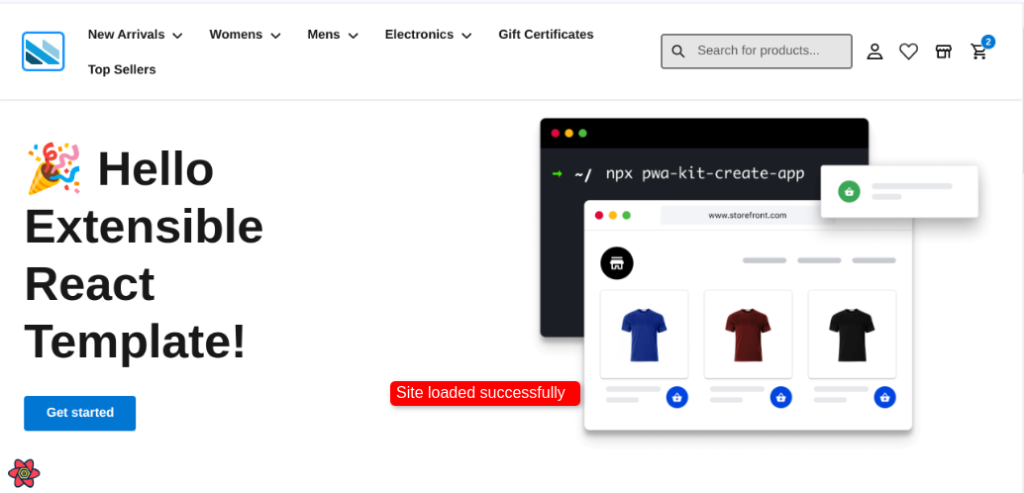
After installing, go to the install directory and run the “npm start” command.

Voila, you can see that your site is successfully loaded.
For a better understanding, you can also check out our video on YouTube on how to implement PWA Kit in Salesforce Commerce Cloud.
Features Of PWA
Provides Native App-like experiences
In 2017, Twitter released Twitter Lite, a PWA alternative to its Android and iOS apps.
Twitter Lite shows a massive 75% increase in tweets sent, a 20% decrease in bounce rate, and requires less than 3% storage as compared to any Android or iOS app.
PWAs can have their app icons, which can be added to a device’s home screen or taskbar. It can also open automatically whenever an associate file type is opened.
Offline and Background operation
If a user has low internet connectivity, it is obvious that he cannot open most websites on his browser.
However, PWAs can continue working even when there is low internet connectivity. It can also update its state when the app is not working.
Both these features provide a seamless user experience compared to dropping an offline page.
Speed and Performance
When a page load time increases from 1s to 10s, there is a 123% increase in the likelihood that a user would bounce.
That’s why a fast loading speed is required to create a better user experience.
PWAs tend to have faster page load times because they use modern web development technologies and frameworks.
Alternative Solutions of PWA
Native and hybrid apps built with languages like Swift, Kotlin, Java, Flutter, and React Native. They can perform better and can handle more complex functionality than PWAs.
Among these, Flutter is a powerful cross-platform framework that allows you to build high-performance apps for multiple platforms from a single codebase.
By using these and integrating with Salesforce Commerce API, you can build robust, feature-rich mobile apps for your business.
Conclusion
With compatibility issues and the inability to perform complex functionality, still PWA kit can still surely make a big impact on your e-commerce storefront.
It can increase your user experience, engagement, and conversion rates.
If you want to shift into a headless commerce architecture, you can implement PWA Kit in Salesforce Commerce Cloud.
Support
Webkul is a software development service brand with 13+ years of experience.
We have an experienced team of Certified Salesforce Mobile App Developers and a dedicated team of Salesforce Consultants.
If you have any specific requirements for mobile app development, you can reach us at [email protected] or raise a ticket.

Be the first to comment.