Punchout Gateway for WooCommerce
Updated 20 November 2025
Are you tired of manually entering purchase orders? If you are looking for a way to streamline your procurement workflow and improve efficiency.
Our innovative Punchout Gateway for WooCommerce is the solution you’ve been searching for.
Our plugin acts as a bridge between an eCommerce store and a procurement system. It enables your buyers to access your catalogue directly from their procurement interface.
This product is ideal for B2B Businesses that need to simplify their customers’ purchasing processes. It saves time, reduces costs, and enhances customer satisfaction.
Let’s dive deeper into this powerful tool’s installation, configuration, and usage.
Features of Punchout Gateway for WooCommerce
- Connect your WooCommerce store to your procurement system.
- cXML protocol supported for data exchange.
- Track all requests and responses for troubleshooting and auditing.
- Lock product quantities after they are added to the cart in the procurement system.
- Set your preferred shipping and payment methods for e-procurement orders.
- Set the order status for e-procurement orders to match your workflow.
- Connect with multiple buyers using a single gateway, reducing integration efforts.
- Buyers can browse, select, and purchase products without leaving the procurement interface.
- Automatically create a cart in your WooCommerce store for items selected in the procurement system.
- Process e-procurement orders even for guest users.
- Send auto acknowledgments for received purchase orders.
- Whether an order is being placed as a guest, an existing customer, or registering someone as a new customer. It gives you full flexibility when an order is placed.
- Punchout order view and cart view features, allowing the user to see all carts and orders created via Punchout.
Note: If you have a Magento 2 store, you can check out our Punchout Gateway For Magento 2.
Requirements
WordPress: 6.6.2
WooCommerce: 9.1.2
PHP v7.4.3 or above
Installation of Punchout Gateway for WooCommerce
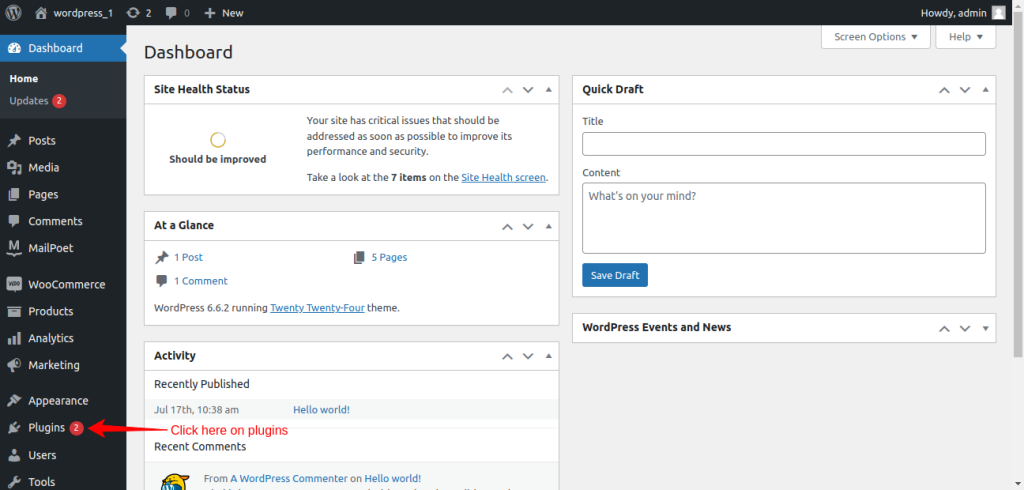
Install this plugin from your WordPress dashboard. To Install it, Log into your WordPress dashboard. Click on ‘Plugins’ on the right side of the dashboard.
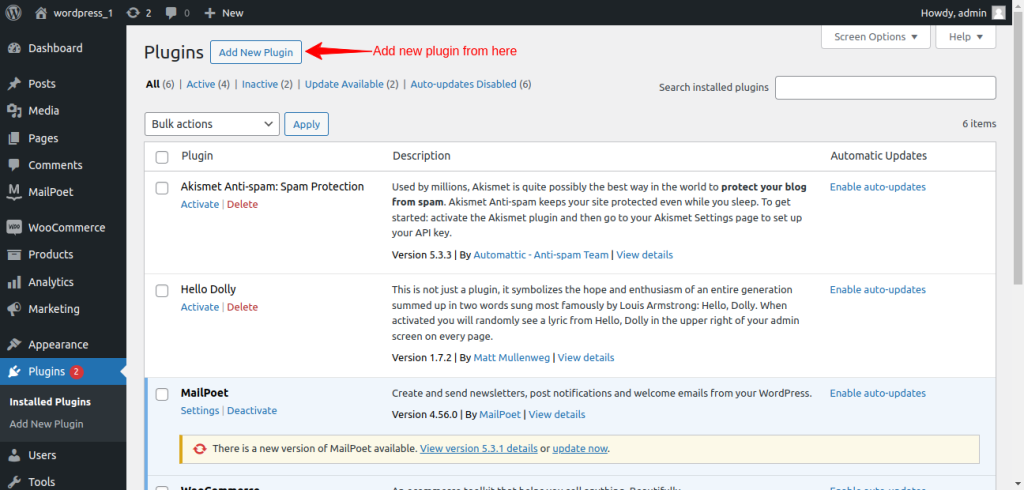
When you are on the Plugins page click on ‘Add new Plugin’.
Here you click on the upload plugin button. Now choose the punchout gateway for WooCommerce file from your computer.
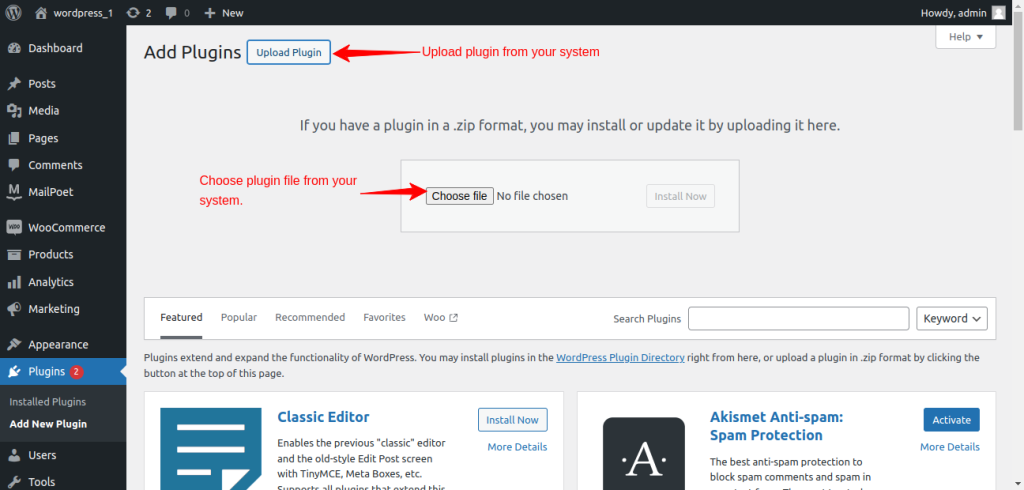
Select the Punchout Gateway for the WooCommerce zip file from your computer.
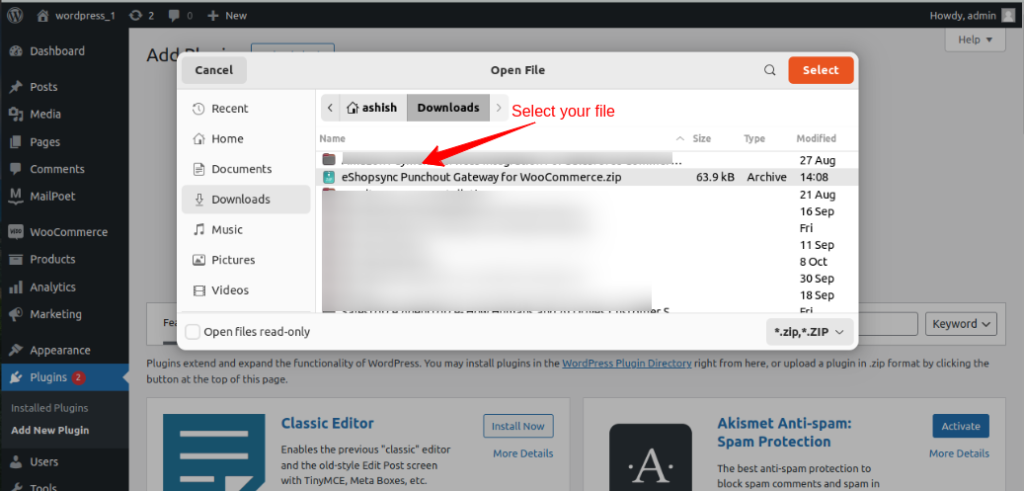
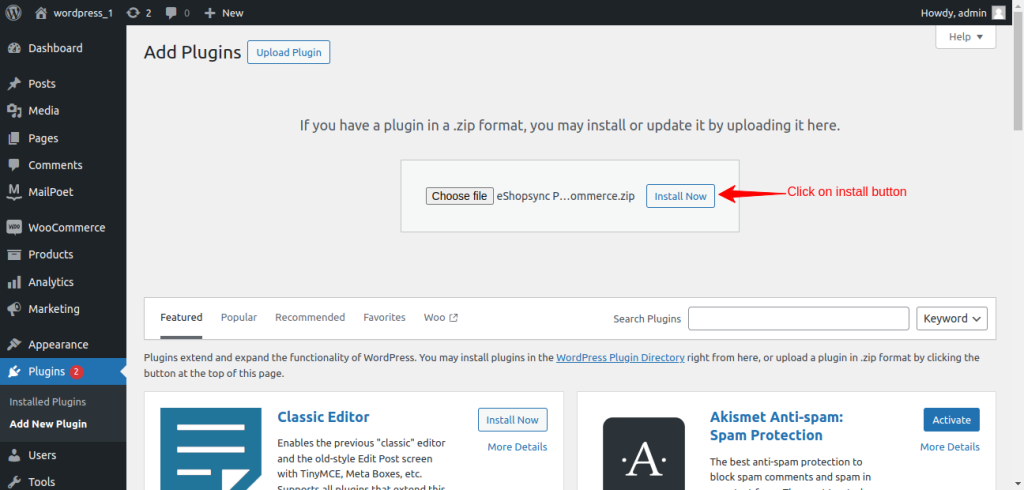
Select the file, and click on the Install Now button.
WooCommerce Endpoint Setup At SAP End
- You have to create the site first.
- Set the endpoint https:// (YOUR_WORDPRESS_INSTANCE/wp-json/woocheckout/getSiteUrl) in the punchout gateway configuration at the e-Procurement end.
- Set another endpoint https:// (YOUR_WORDPRESS_INSTANCE/wp-json/woocheckout/createOrder) on which the order details in cXML format have been sent to the eCommerce from the e-Procurement end.
- The newly created site will be visible on the list alongside its current state.
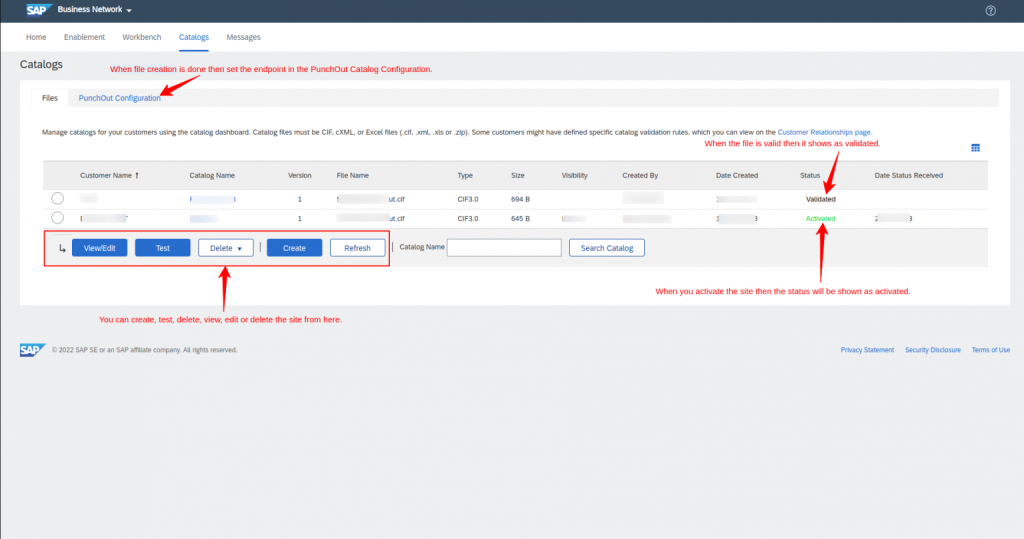
- Once the site is made, the user must pick it and check if it works correctly.
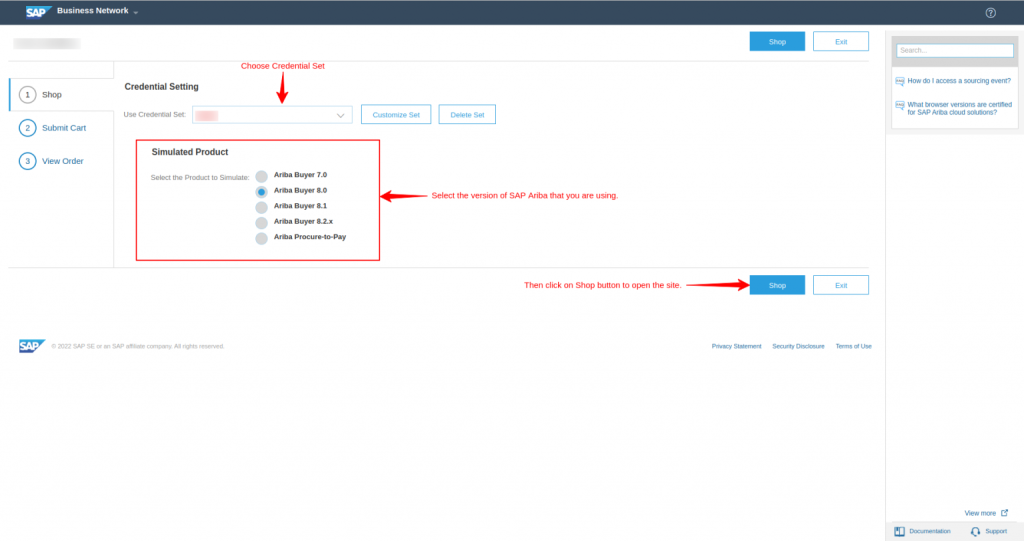
- A new screen will appear where the user needs to choose a set of login details and a product to mimic (the specific Ariba version they’re working with).
- Press the “Shop” button to start the website.
- Once the “Shop” button is clicked, the website will open, and the user can purchase items.
Configuration of Punchout Gateway for WooCommerce
After successfully installing the plugin on WordPress, configure it from the WordPress dashboard. Then, go to the punchout gateway.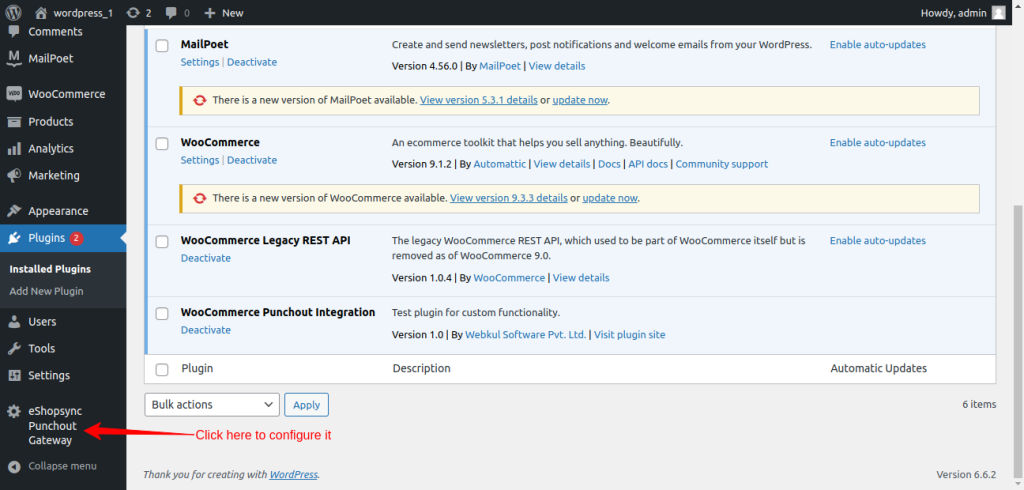
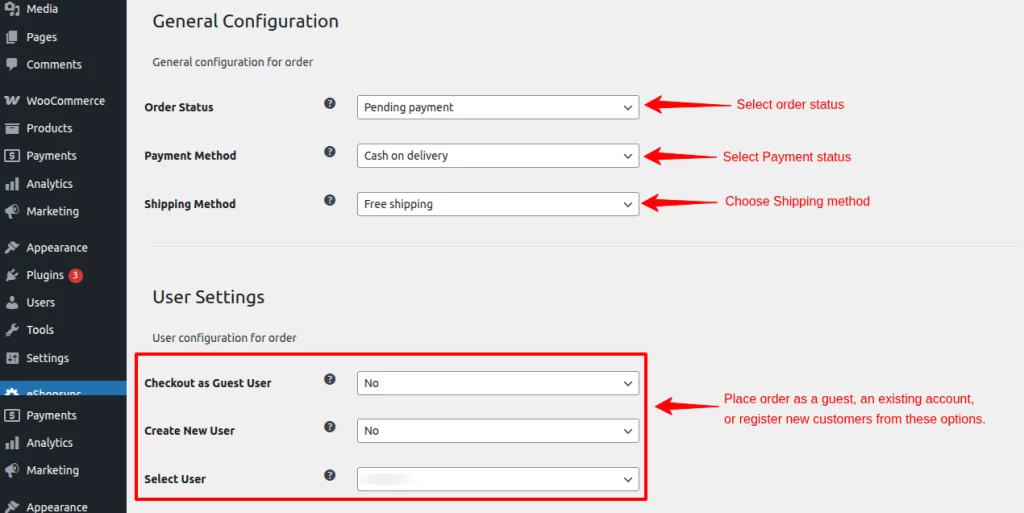
In the general configuration section, set the settings for the eProcurement site.
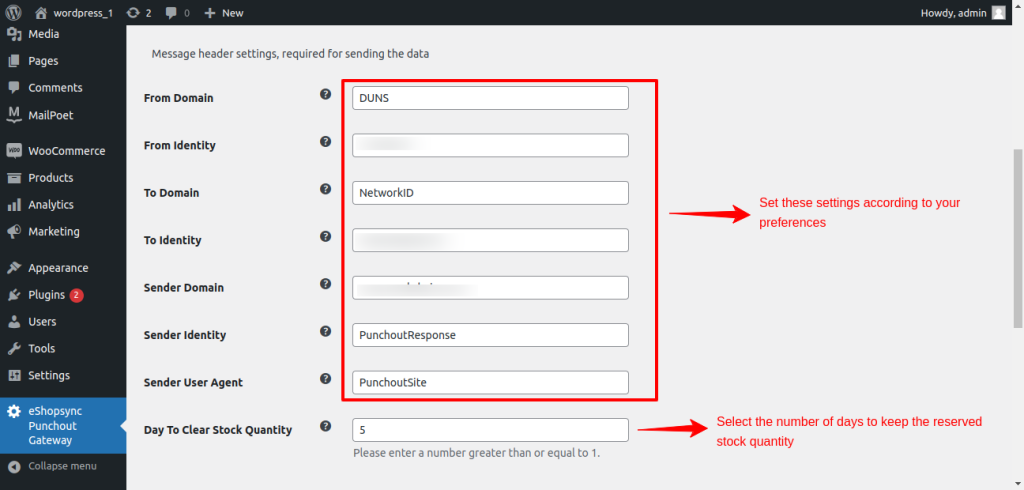
Next in Message Header Settings, fill in the required information to send the data to the eProcurement system.
Apart from this, if you need to clear the stock quantity, you need to run the following command to use this feature:
- Add this path to crontab to restock products that haven’t been ordered after the specified number of days.
* * * * * [path of php] [path to eShopsyncPunchoutGateway]/cronJob.php [path to WordPress] [deleteOrder]
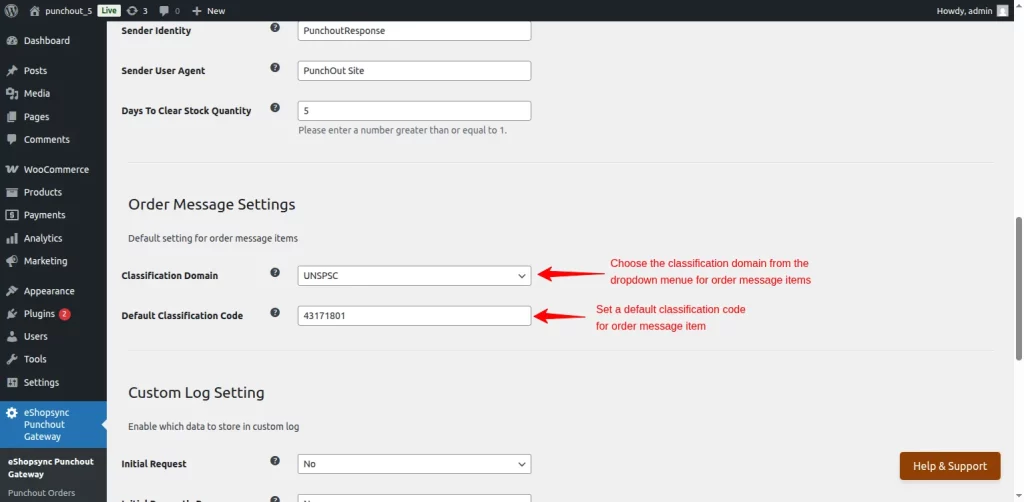
Order Message Setting – In this section, select the classification domain from the given dropdown section for the order message item.
You can also enter a default classification code jof your choice for the order message items.
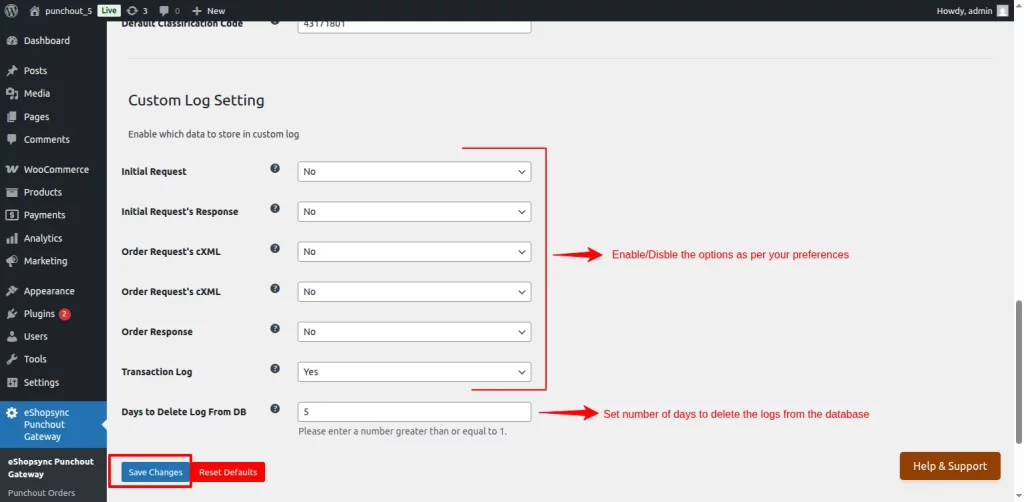
Next, enable or disable the data you want to store in the custom log from here.
Additionally, set the number of days to store the log in the database; the logs that exceed this set days value will be automatically cleared from the database.
Also, add this path to the crontab to delete transaction logs older than the specified number of days.
* * * * * [path of php] [path to eShopsyncPunchoutGateway]/cronJob.php [path to WordPress] [deleteTransactionLog]
View PunchOut Orders and Transaction Logs
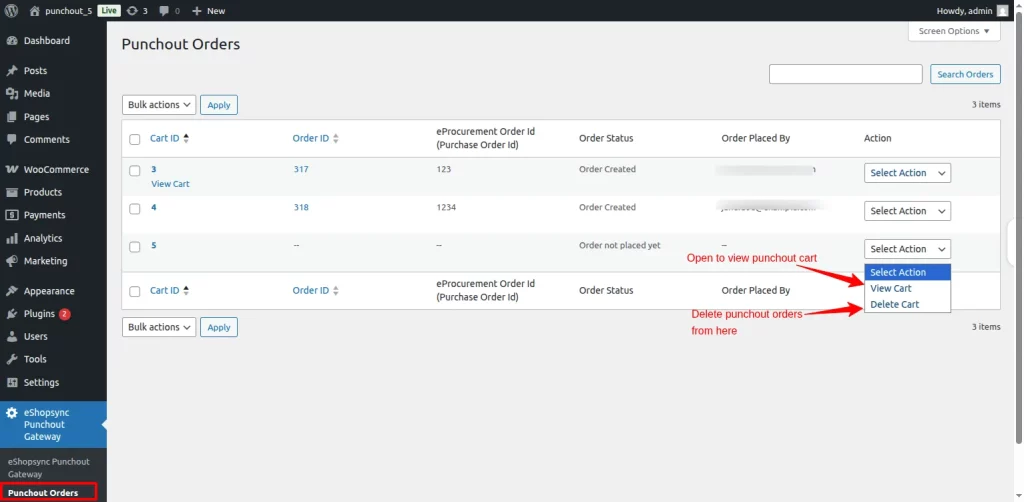
Go to the Punchout Orders option on the left side of the menu bar. Here, you can view all punchout orders and their current status. You can also delete the unwanted purchase orders.
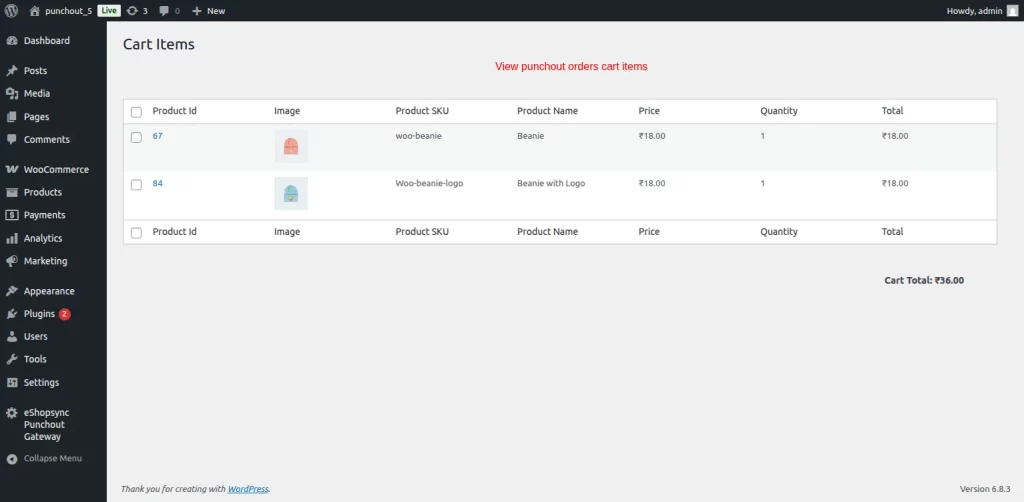
Then, click on the ‘View Cart’ option to view all the items in the punchout order.
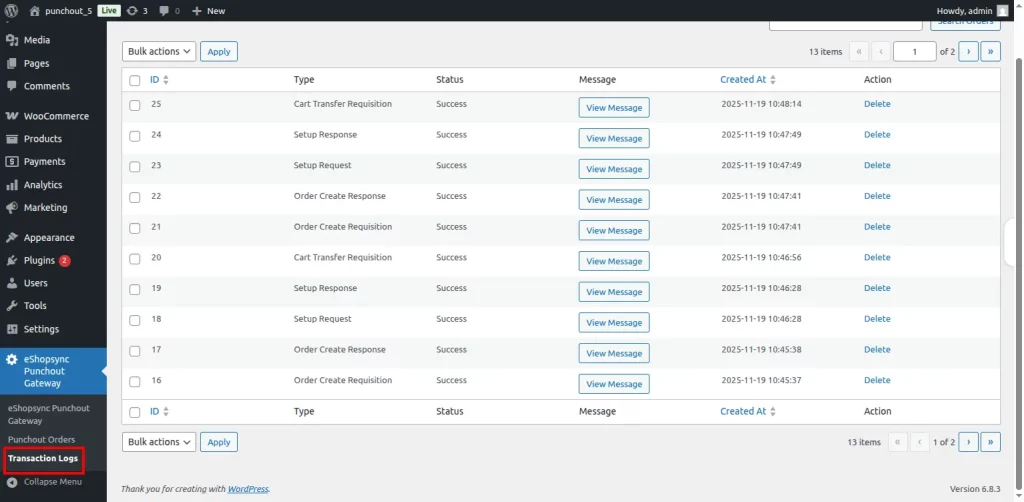
Furthermore, click on the ‘Transaction Logs’ in the menu bar to view all the transaction logs, making it easier to troubleshoot any errors that may have occurred.
Orderflow of the Punchout Gateway for WooCommerce
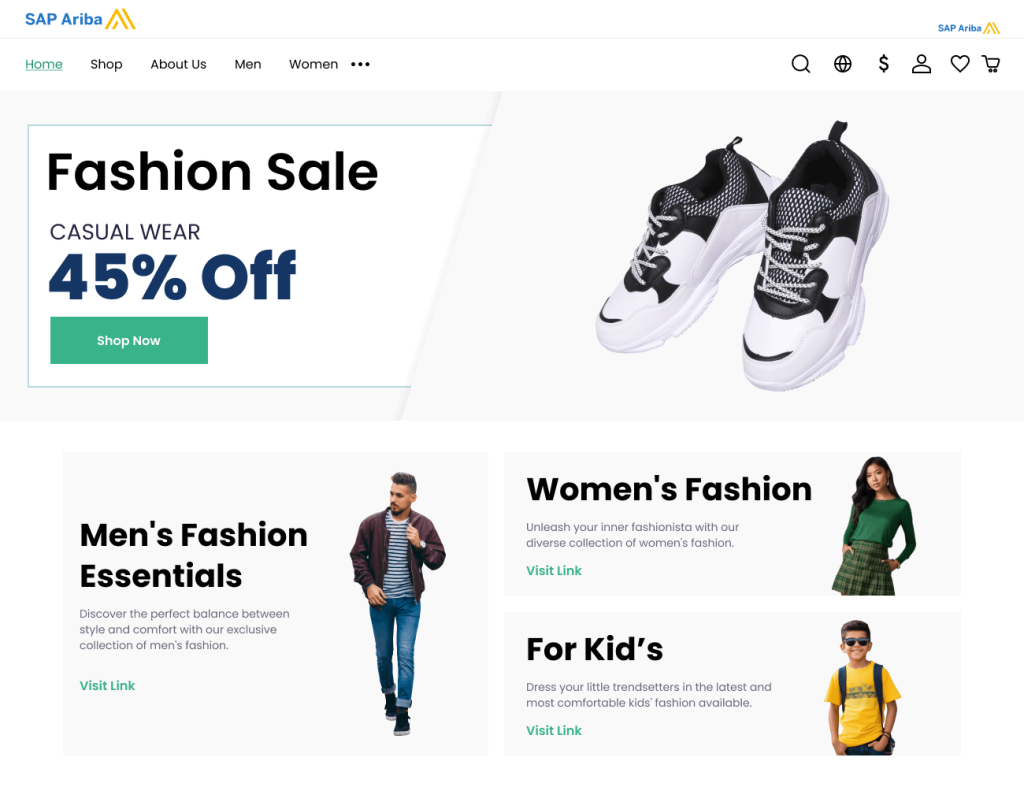
Buyer Access and Site Selection:
- Buyer logs in to the SAP Ariba eProcurement system.
- He selects your approved supplier site (your WooCommerce store).
Site Testing and Credential Setup:
- Site Testing: Buyer tests the site to ensure communication between SAP Ariba and WooCommerce.
- Credential Set: Select the correct credential set to access your WooCommerce store.
Shopping and Cart Transfer:
- Product Selection: Buyer browses your product catalogue and adds products.
- Cart Addition: Buyer adds the products in SAP Ariba.
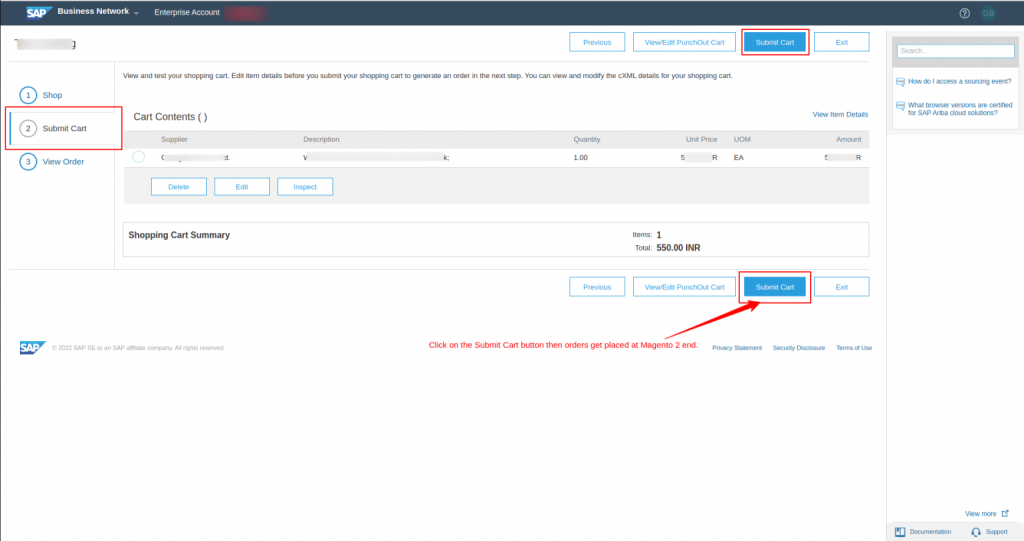
- Cart Transfer: When the buyer is ready, they click “Place Order,” and SAP Ariba transfers the cart data to your WooCommerce store.
Order Creation and Approval:
- Purchase Request: WooCommerce creates a purchase request from the cart data.
- Buyer Approval: The buyer reviews and approves the purchase request in SAP Ariba.
- Order: Your WooCommerce store received the approved order.
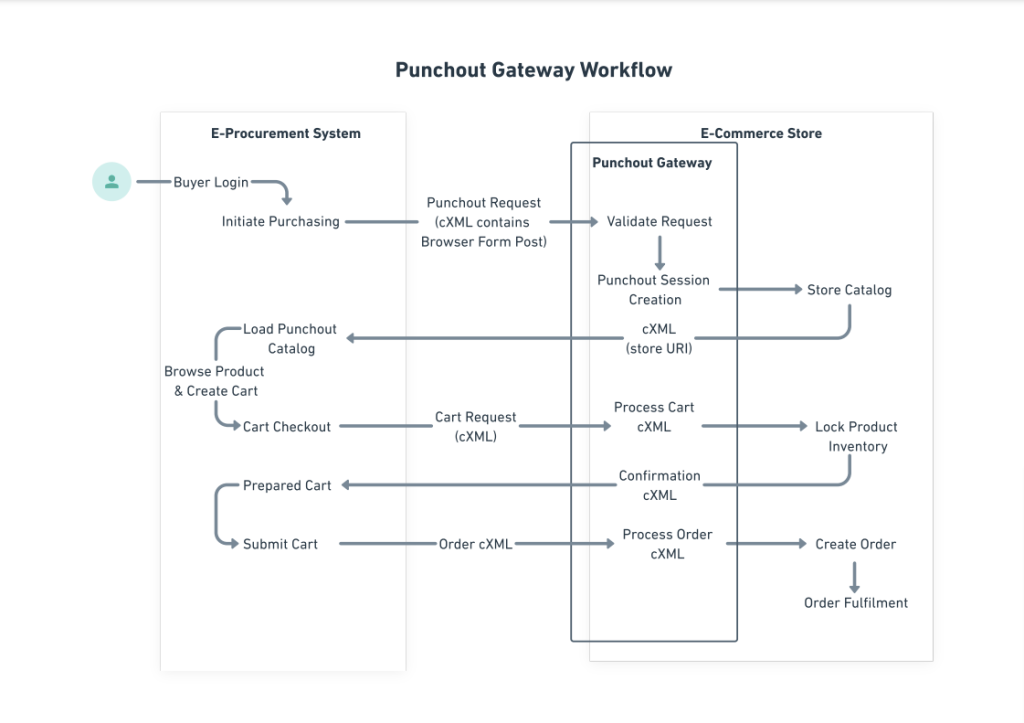
Workflow of the Punchout Gateway
 Need more?
You’re in good hands with us. We can customise our punchout gateway for WooCommerce to meet your specific needs, from partial order fulfilment to post-purchased order refunds and confirmations.
Do you wish to incorporate other systems? Our skilled SAP consultants are available to assist you in connecting your eProcurement and eCommerce platforms.
Other eProcurement System
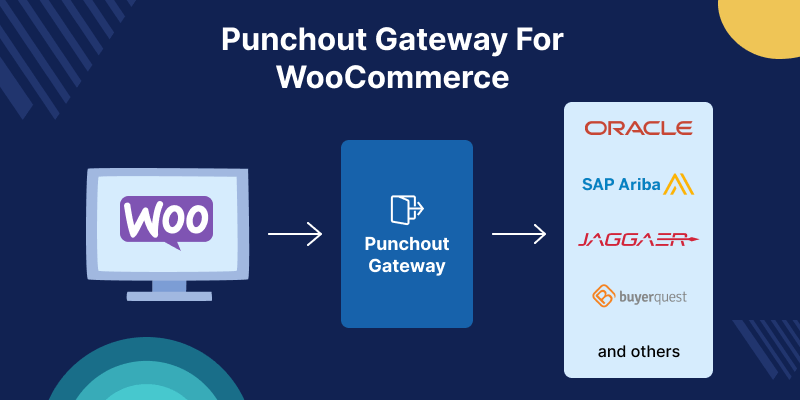
Our expert team specializes in creating seamless punchout gateways for a wide range of popular eProcurement systems. We have deep experience working with the following platforms:
| Coupa | Oracle | Basware | ESM | Zycus |
| IBM | OPT-Source | C1 | Birch Street | Vroozi |
| Jaggaer | Crest ERP | Ivalua | Workday | NetSuite |
If your eProcurement isn’t on the list, no worries. Let us know. Our SAP consultant team is ready to tailor a customized solution for you.
Frequently Asked Questions
- Which product details are sent to SAP Ariba through the PunchOut Gateway?
The following details are securely transmitted to SAP Ariba for a seamless purchasing experience:
- Product ID
- Product Name
- Price
- Currency
- Quantity
- UNSPSC Domain
- What are the different classification domains available in WooCommerce PunchOut Gateway?
We currently have two classification domain values, i.e, UNSPSC and NIGP. You can choose any of the values according to your preferences, but UNSPSC is the default option in the platform.
- Does WooCommerce PunchOut Gateway support cXML and OCI protocols?
Yes. The WooCommerce PunchOut Gateway fully supports both cXML and OCI protocols.
- How can I obtain the license key for WooCommerce PunchOut Gateway?
To get your license key, simply contact our support team at [email protected].
Support
- For any further queries or customizations, click on Create a Ticket.
- To know more about the product, Request a demo.
- To view all our applications of SAP, you can visit eShopSync.

Be the first to comment.