Super Image Slider
Bring your Salesforce records to life with dynamic slideshows of images and videos with Super Image Slider.
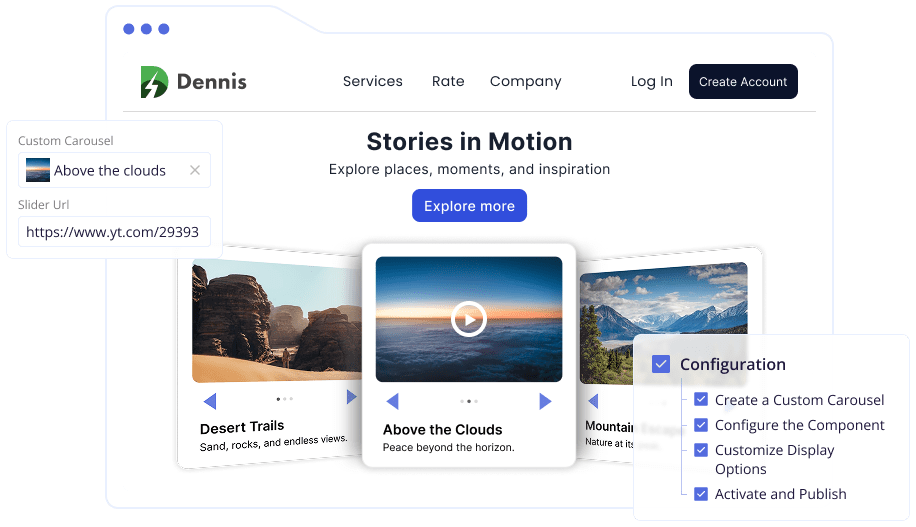
Make Your Data Visually Engaging
A picture is worth a thousand words, and in Salesforce, it can be worth even more. Showcase product shots, promotional banners, or testimonials with the Super Image Slider. It helps you enhance every record page with eye-catching visuals.
This native app allows you to display carousels of images and YouTube videos on leads, accounts, contacts, and even community pages – without writing a single line of code.
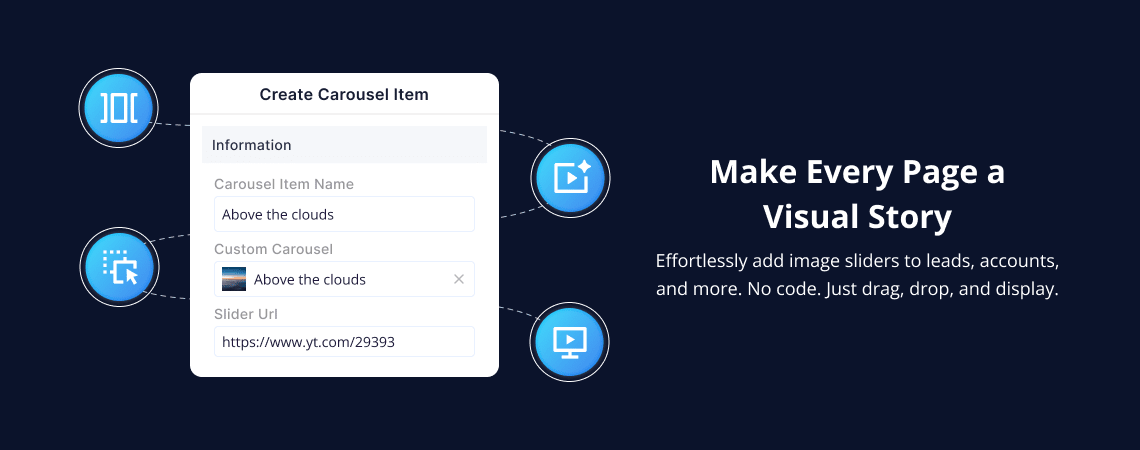
Create Beautiful Slideshows Effortlessly
With a few clicks, you can display curated collections of images and YouTube videos in your Salesforce records.

Automatically display images from Notes & Attachments

Use the Custom Carousel object to group external images and videos

Add YouTube videos using simple embed links

Insert up to 10 visuals per slider

Reorder them easily using drag-and-drop

Works perfectly in Salesforce Lightning and Communities
Why Choose Super Image Slider?
It provides native functionality, allowing you to accomplish much more without writing a single line of code.

Bring Records to Life

Boost Engagement

Customize the Experience

Use It Anywhere

Mobile Ready
How Does It Work?
Add sliders in minutes by following these simple steps:
01
Use the pre-built object to group your images and YouTube videos. Paste URLs and define display order.
02
Drag and drop the Super Image Slider to any page. Use the Record ID or let it auto-fetch images from Notes & Attachments.
03
Enable auto-scroll or manual navigation. Set the slider speed and height to fit your brand style.
04
Save and activate the page layout. Your slider appears instantly—ready to impress.
Why Visualize with Super Image Slider?
Static content is easy to overlook. With Super Image Slider:

You capture attention faster.

Tell your brand story through visuals.

Improve the content experience across the org.
Start Telling Visual Stories in Salesforce
Transform your records into engaging, dynamic experiences.