
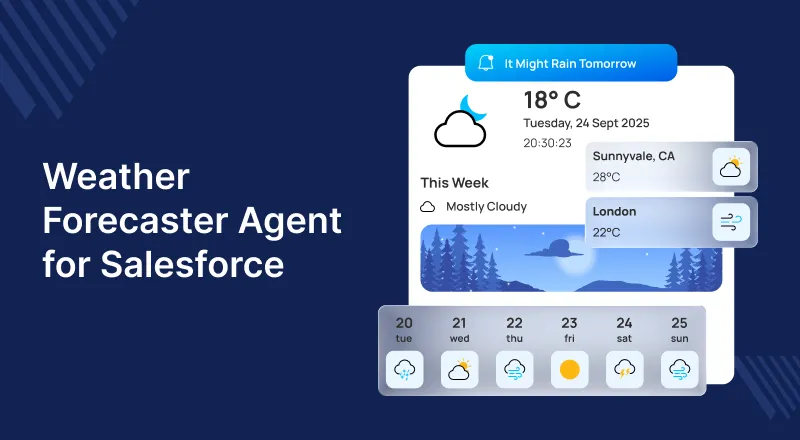
In today’s data-driven world, understanding weather impacts is vital across industries like logistics, travel, retail, and healthcare.
Imagine accessing real-time weather insights directly in Salesforce—no switching platforms needed.
Meet with eShopSync’s new achievement, Weather Forecaster Agent is an Agentforce-powered app delivering real-time, AI-driven weather insights.
Plan trips or manage operations with instant, intelligent forecasts from the Weather Forecaster.
What is Weather Forecaster Agent?
The Weather Forecaster Agent is an AI-powered Salesforce app that delivers real-time and future weather forecasts right within your CRM.
This smart agent leverages Large Language Model (LLM) to understand and respond to natural language queries, such as:
For example, “What’s the weather on October 15th in Noida?”
Within seconds, it fetches accurate data from integrated weather APIs and displays a clear, concise response right inside Salesforce.
The agent can be embedded in Experience Cloud or external systems to deliver timely weather insights.
For example, whether you run a weather-dependent logistics company or a tourism platform that enhances user experiences.
This agent provides an easy, efficient, and scalable way to access weather information.
Key Features of Weather Forecaster Agent
The Weather Forecaster Agent offers powerful yet easy-to-use features that make forecasting effortless and smart. Let’s take a look:
1. Query Weather Forecasts for Specific Dates and Locations
Users can ask for forecasts for any city or date in natural language.
For example:
“Show me the weather in Delhi on Thursday.” The agent processes the request using LLM and instantly delivers precise information.
2. Integrates with External Weather APIs
The agent securely connects with external weather providers like Weatherstack via Named Credentials.
This allows it to fetch the latest data directly from reliable sources, assuring accuracy and consistency at all times.
3. Built on Salesforce Agentforce and Flows
Powered by Salesforce’s Agentforce, the Weather Forecaster Agent combines the power of Einstein AI, Flows, and LLM models to create a conversational experience inside Salesforce.
This integration allows users to interact with the system naturally and intuitively without needing complex setup or coding knowledge.
4. Flexible Deployment Options
The Weather Forecaster Agent can be:
- Embedded within Experience Cloud (Community) pages to provide weather updates to your website visitors or customers.
- Consumed by external systems to integrate weather forecasts into your own business applications.
This flexibility makes it suitable for multiple use cases from internal dashboards to customer-facing portals.
5. Permission-Controlled Access
At eShopSync, security is always our top priority.
Access to the Weather Forecaster Agent is managed through a dedicated permission set called AgentWeatherForecaster, ensuring that only authorized users can access or manage the agent.
Why Choose Weather Forecaster Agent?
Businesses today depend on agility and precision, and environmental conditions can play a massive role in planning, logistics, and operations.
With Weather Forecaster Agent, you can:
- Make informed decisions using real-time data.
- Enhance user experience by offering timely weather information.
- Reduce dependencies on external apps or manual checks.
- Bring automation and AI to daily weather queries and reports.
- Embed intelligence right within your Salesforce environment.
This application is a perfect blend of AI, automation, and accessibility, making weather forecasting smarter than ever before.
Prerequisites for Installation
Before setting up the Weather Agent, ensure your Salesforce environment meets the following prerequisites:
- Salesforce org with Agentforce enabled
The Agentforce feature must be activated to support conversational AI and LLM functionality. - Installed Weather Forecaster Agent Package
You must install the managed package for Weather Forecaster Agent in your Salesforce org. - API Key from a Weather Provider
Obtain an API key from your preferred weather service provider to enable real-time weather data access. - Experience Cloud Site
Required if you want to embed the weather agent into a Salesforce Community page for public or customer use.
Step-by-Step Setup Instructions
Here is a detailed setup guide to help you get started with the Weather Agent:
Step 1: Assign Permission Set
- Go to Setup, Click on the gear icon in the upper-right corner of Salesforce.
- Select Setup from the dropdown menu.
- In the Quick Find search bar on the left side, type “Users.”
- Under the Users section, click on Users to view the list of users.
- In the same menu, under Users, select Permission Sets to manage or assign permission sets.
- Choose the user you want to assign permissions to.
- In this case, the user is “agent.”
- From the Available Permission Sets, select the required permission (e.g., AgentWeatherForecaster).
- Click the Add (>) button to move it to the Enabled Permission Sets list.
- After adding the required permission set, click Save to apply the changes.

Step 2: Configure the Agent
To give your agent access:
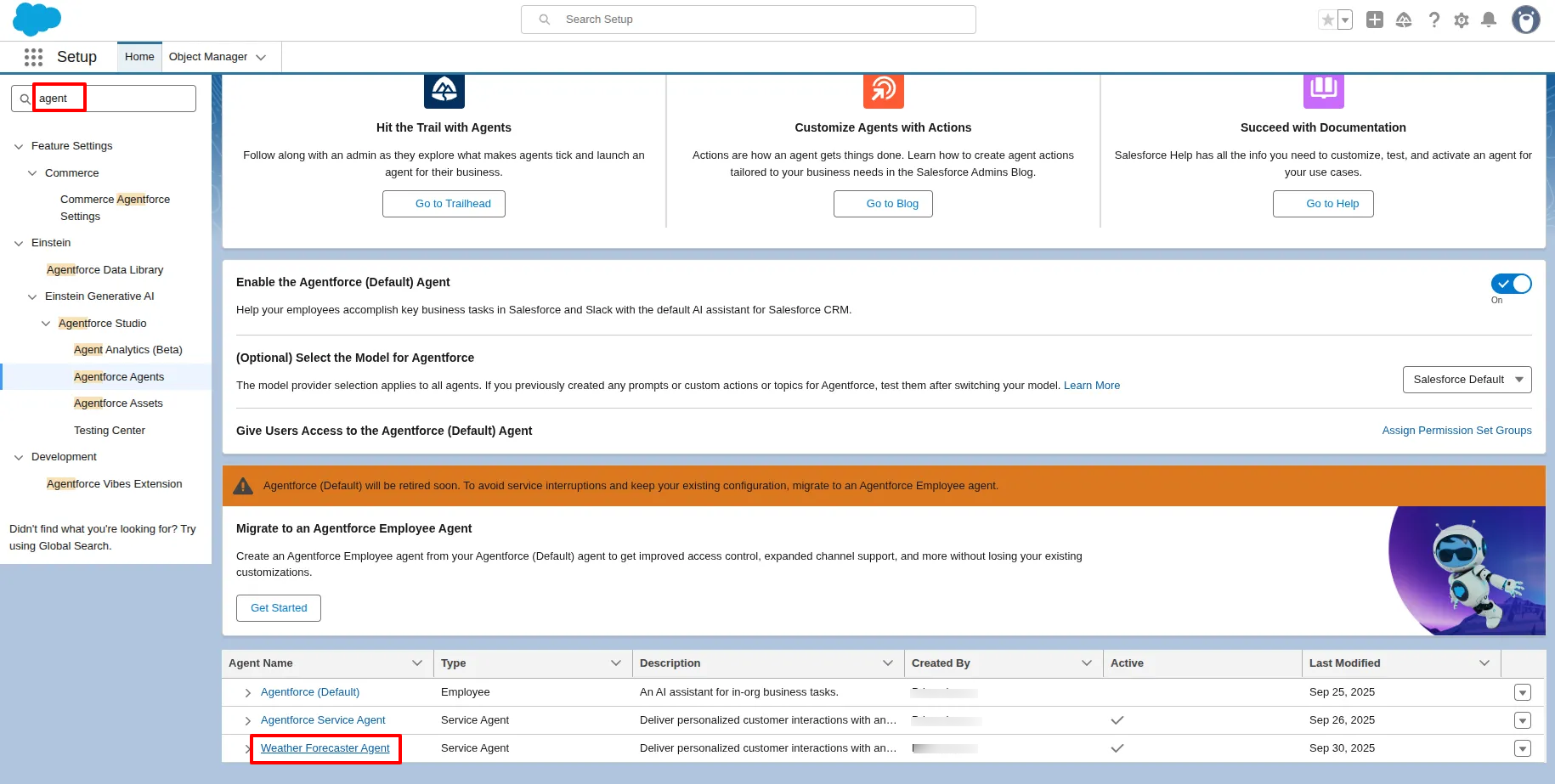
- Go to Setup in Salesforce.
- In the Quick Find search bar,
- Type Agentforce and click on Agentforce Agent.
- Scroll down and locate the Weather Forecaster Agent.
- Open the agent in the Builder.
- Test the agent to ensure it’s working properly.
- If everything functions correctly, proceed with the Embedded Service Deployment.
Next, assign your agent within Salesforce:
- Go to the App Launcher and search for Agentforce Agents.
- Open the Weather Forecaster Agent.
- Assign your Agentforce user to this agent.
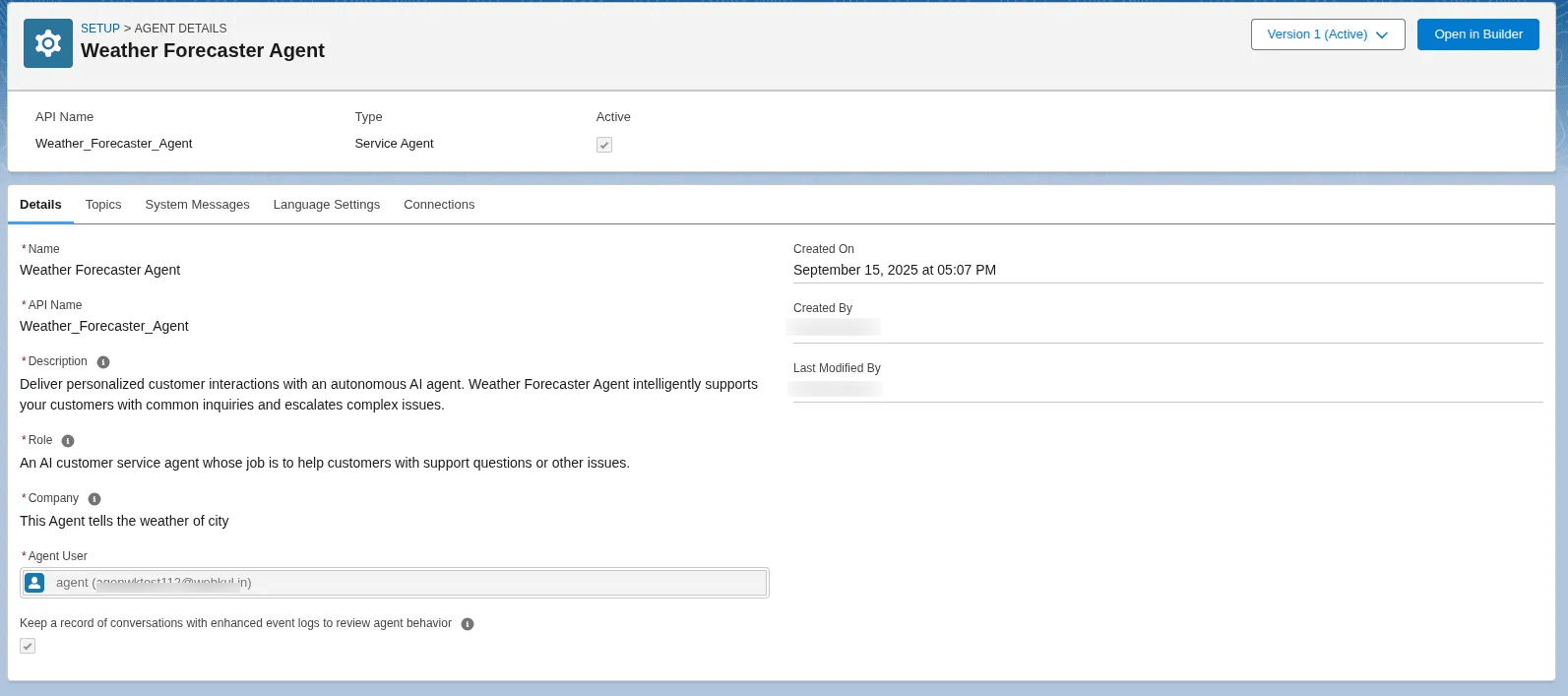

Note: This connects the specific user with the Weather Forecaster Agent, allowing them to interact and perform weather queries.
Step 3: Configure Named Credential
To establish a secure connection between Salesforce and the weather API:
- Navigate to Setup – Named Credentials.
- Select the External Credentials tab.
- Open weather (as shown in the screenshot).
- Under Custom Headers, enter your access_key (API key).
- Save the configuration securely.
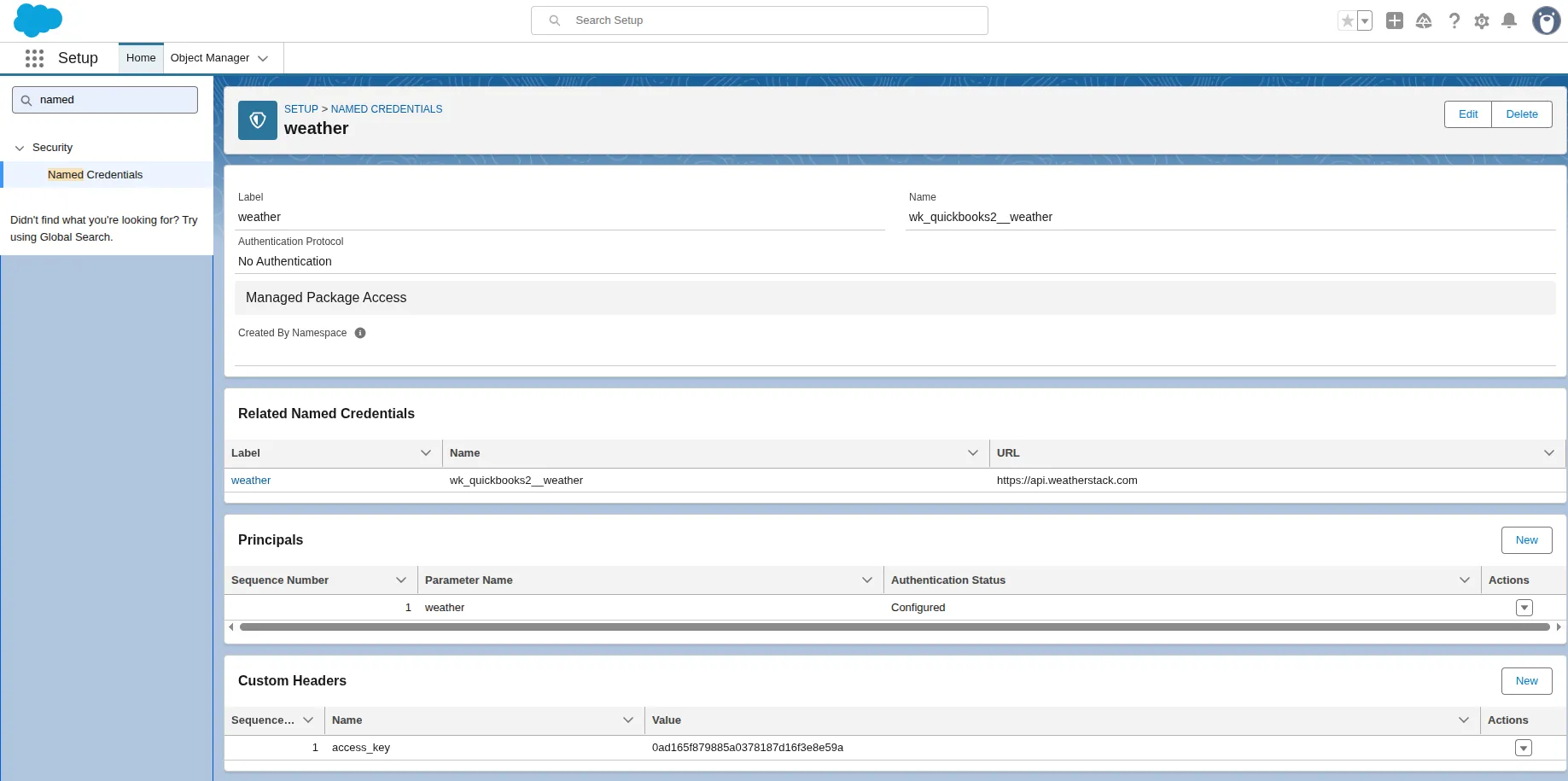

Note: This step ensures all API communications remain encrypted and authenticated.
Step 4: Test the Agent
Now it’s time to validate your setup:
- Test with natural language queries such as:
“What’s the weather on October 20th in Noida?”
- The agent should respond with the correct temperature and conditions fetched directly from the connected weather API.
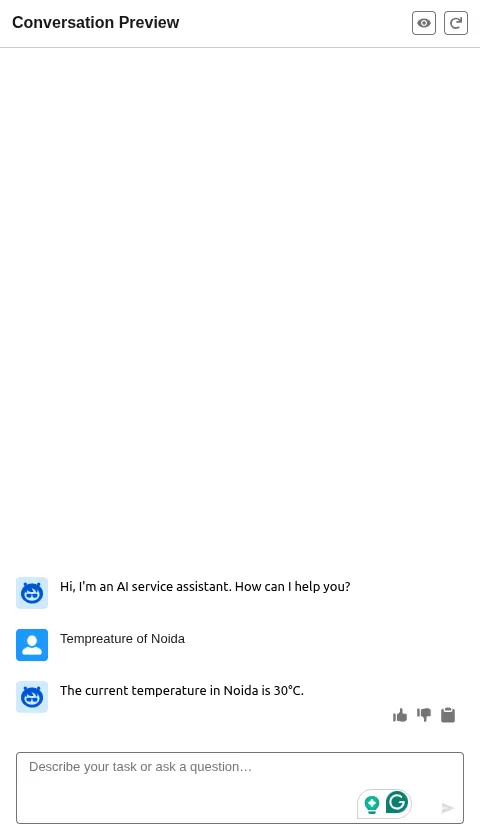

Note: If the response matches the actual forecast, your setup is successful!
Use Cases and Applications
The Weather Agent is ideal for various industries and business scenarios:
- Travel & Tourism: Display real-time conditions for destinations.
- Retail & Supply Chain: Plan shipments or product launches based on weather.
- Agriculture: Assist farmers and agribusinesses with forecast-based decisions.
With these capabilities, organizations can embed weather intelligence into everyday workflows.
Conclusion
The Weather Forecaster Agent helps to navigate ‘how businesses interact with weather data inside Salesforce’.
By combining Agentforce AI, LLM, and weather APIs, it enables faster, smarter decisions within Salesforce.
For live forecasts, operational support, or enhanced weather insights, the Weather Forecaster Agent has you covered.
Contact Us
Start today and bring real-time weather intelligence into Salesforce to forecast smarter with the right data. Book Your Call Now
Raise a ticket today or email us at support@webkul.com. Connect with Webkul.